


How to transfer several domains to NiceNIC in bulk?
Before submitting a transfer request with NiceNIC, make sure your domains are prepared for transfer through your current registrar. This is generally done by removing transfer locks and getting the necessary Auth codes.
Learn how to prepare domains for transfer in accounts sections of several popular registrars.
Once those preparations are made, simply follow the steps below to transfer your domains:
Note: Each domain has a unique Auth code and has to be unlocked for transfer separately on the current registrar side.
- Log in to your NiceNIC account.
- Go to the Transfer to Us page.
- Click on Bulk options.
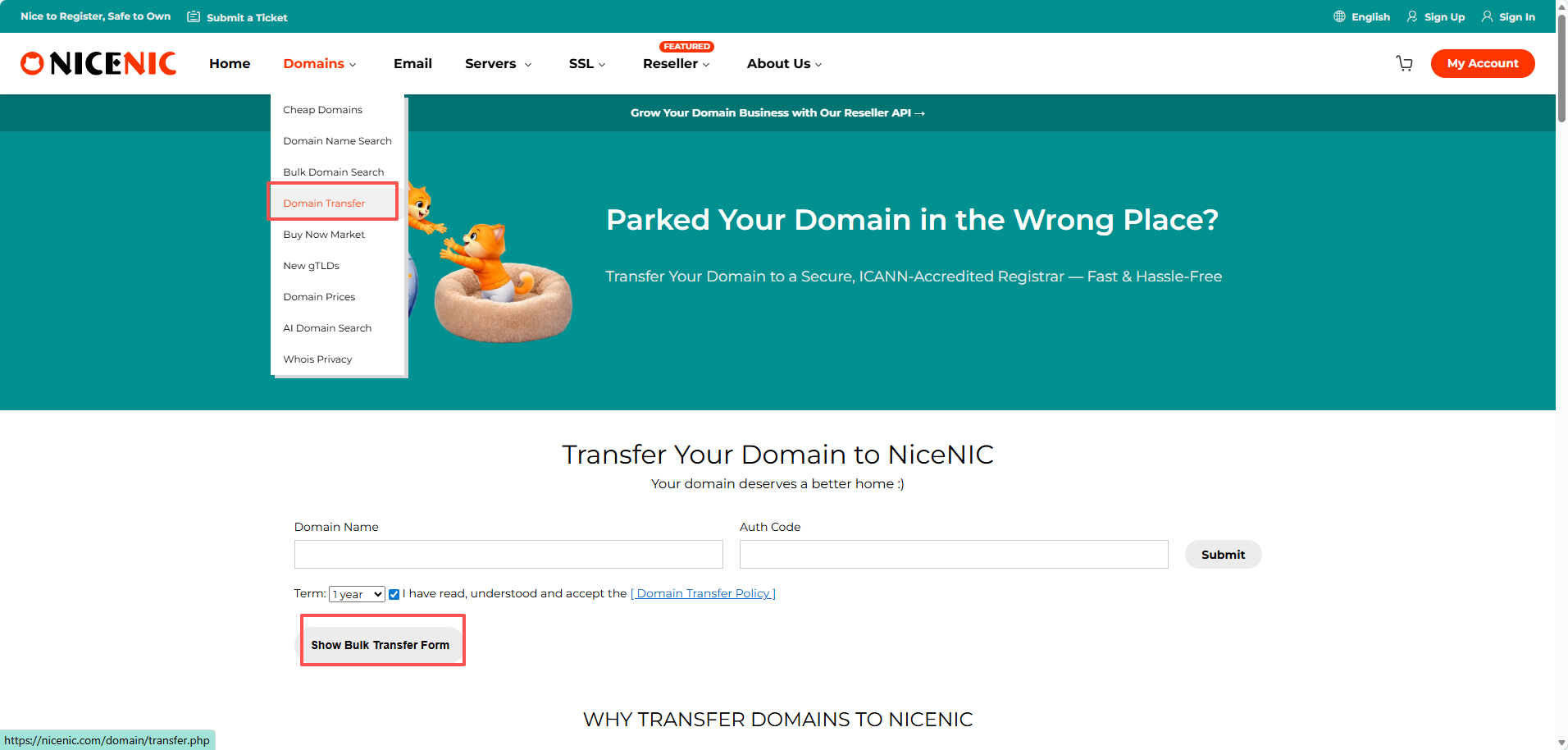
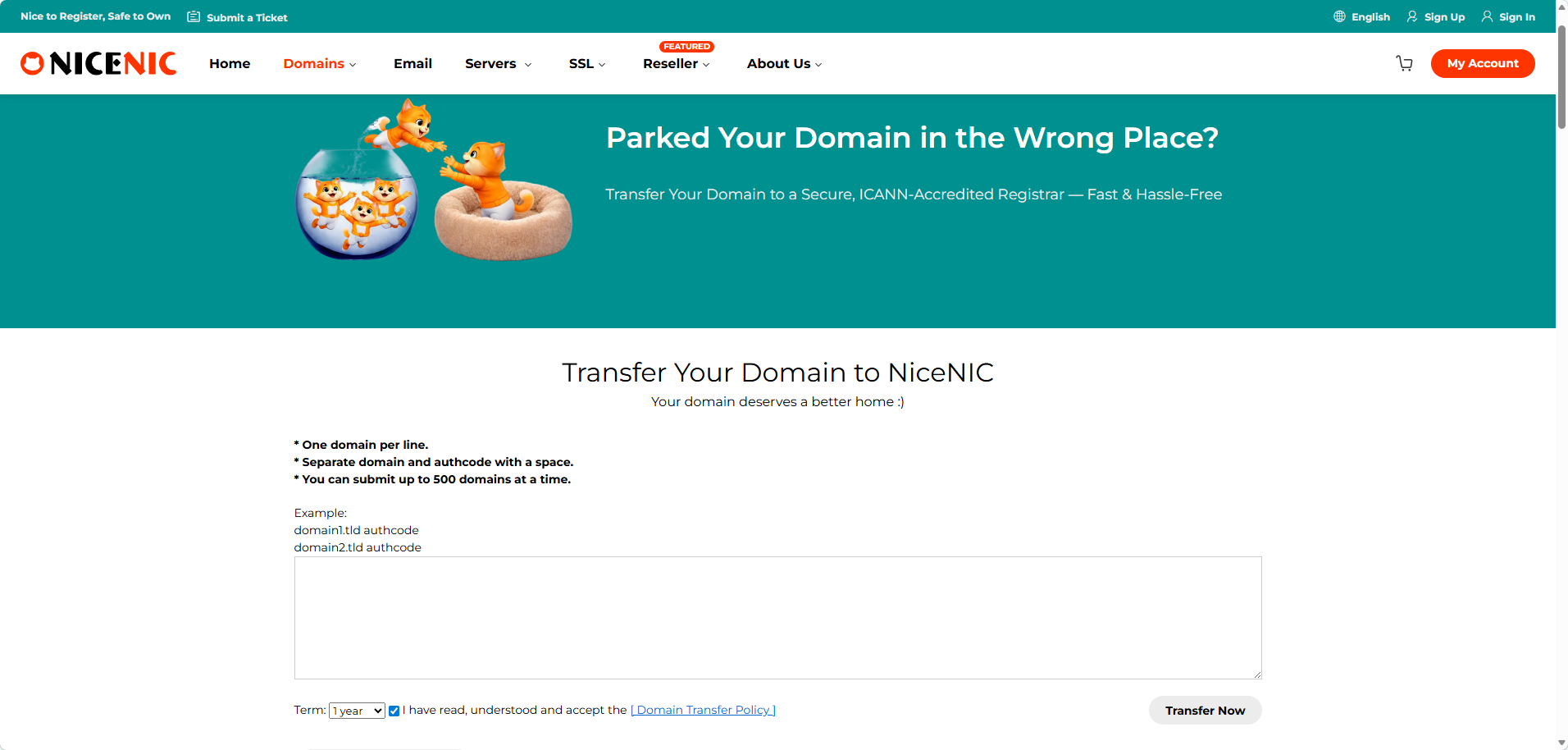
Enter the domain names and the Auth codes;
Note: Enter each domain and its Auth code in a new line. The Auth code has to be separated from the domain name by a comma and one space.
Click on Start Transfer at the bottom of the page.
Double-check the domain names and add them to Cart. To do this, you can use the Add all to cart button for convenience.
Proceed with the payment.
The transfer is completed automatically in 5-7 days for most domains. Once the transfer of your domains is completed you will receive the notifications on your NiceNIC Primary Email address, and the domains will become manageable in your Domain List.
Note: Due to technical reasons, it is only possible to submit the transfer for up to 10 domain names at once. If you need to transfer more than 10 domains, you can either submit several Bulk Transfer orders or contact our Support Team for assistance.
How to Check the Status of Your Domain Transfer
After initiating a domain transfer to Nicenic, you can monitor its progress directly in your account. This helps you know when the transfer is expected to complete without needing to contact support repeatedly.
Steps to View Transfer Status:
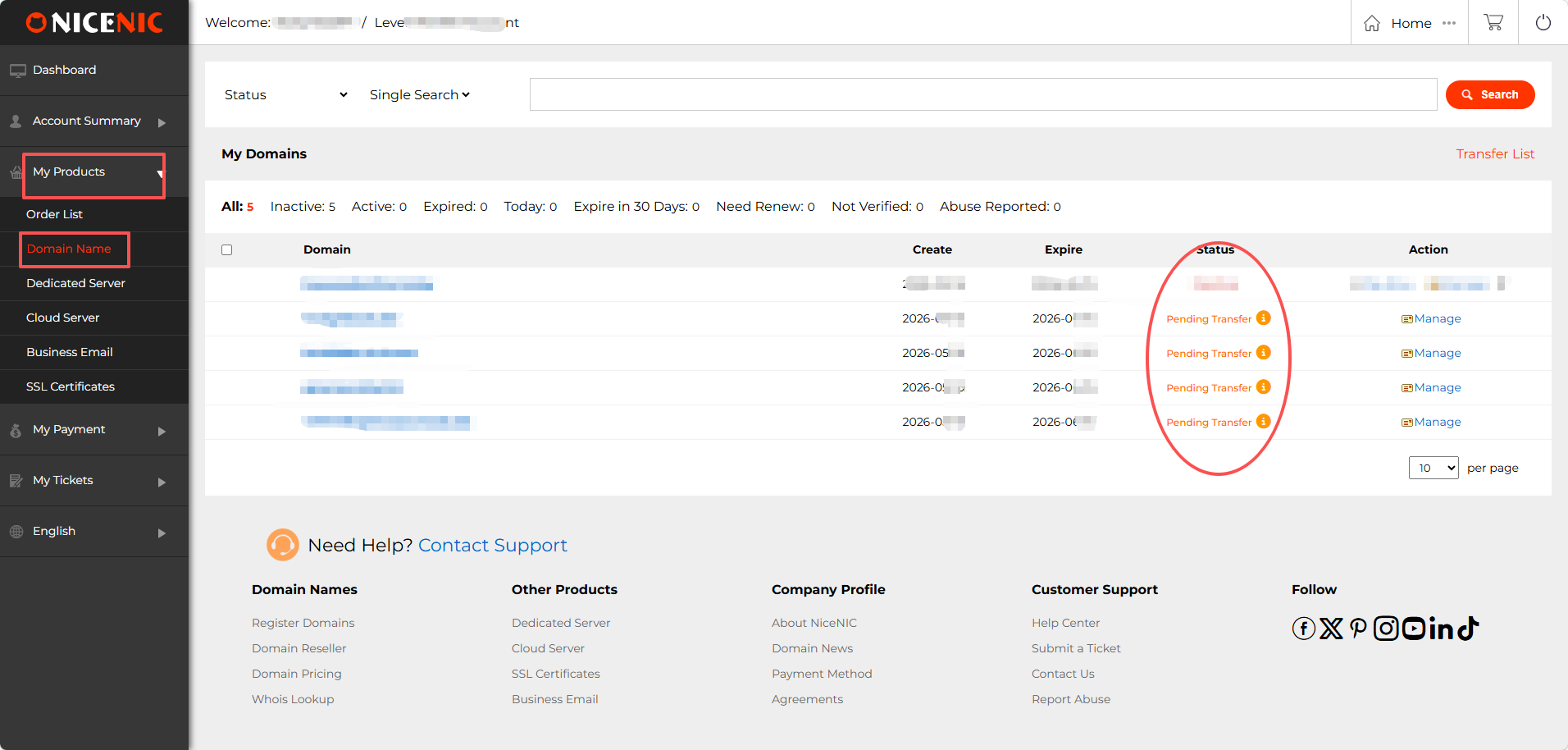
1. Log in to your NiceNIC account. Go to "My Products > Domain Names".
In the Status column, you will see your domain listed as:
- Pending Transfer: the transfer has been submitted and is in progress.
- Active / Transfer Completed: the transfer is finished.
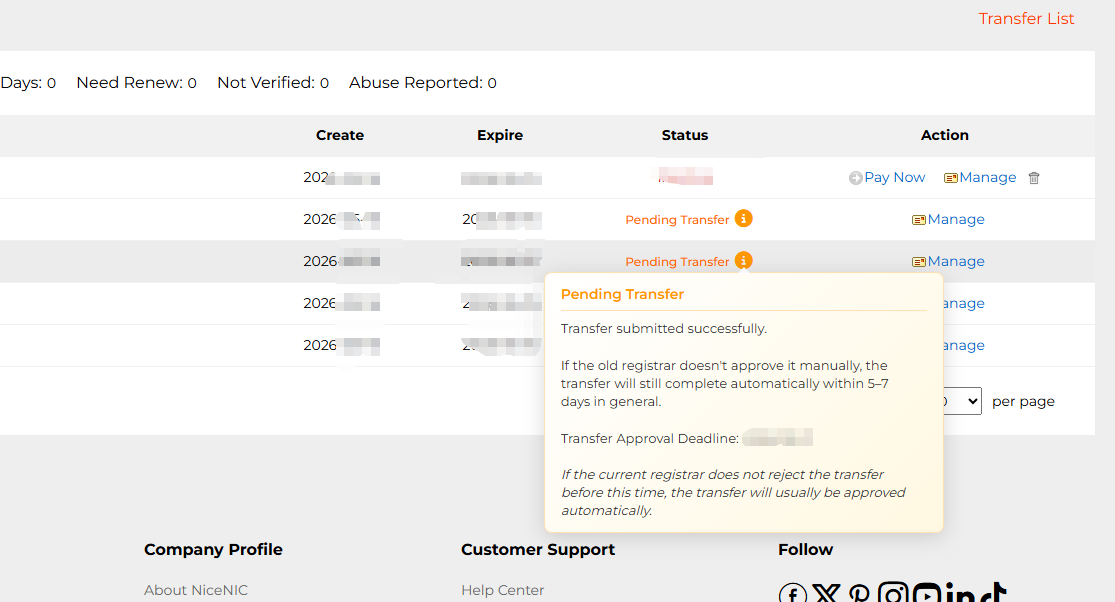
2. Hover over the information icon (i) next to "Pending Transfer" to view details about Expected approval/completion date









- Domain Names
- Registering Domains
- Domain Reseller
- Domain Pricing
- Whois Lookup
- Our Products
- Dedicated Server
- Cloud Server
- SSL Certificates
- Business Email
- Company Profile
- About NiceNIC
- Domain News
- Payment Method
- Agreements
- Customer Support
- Help Center
- Submit a Ticket
- Contact Us
- Report Abuse