


X
Business Email Activation Automatically
We've made an important improvement to enhance your experience.
Previously, customers needed to contact support to receive Business Email login information.
Now:
How to Access Your Business Email
You can access your Business Email login details by following these steps:
1. Log in to your NiceNIC account
Navigate to: My Products > Business Email > Manage
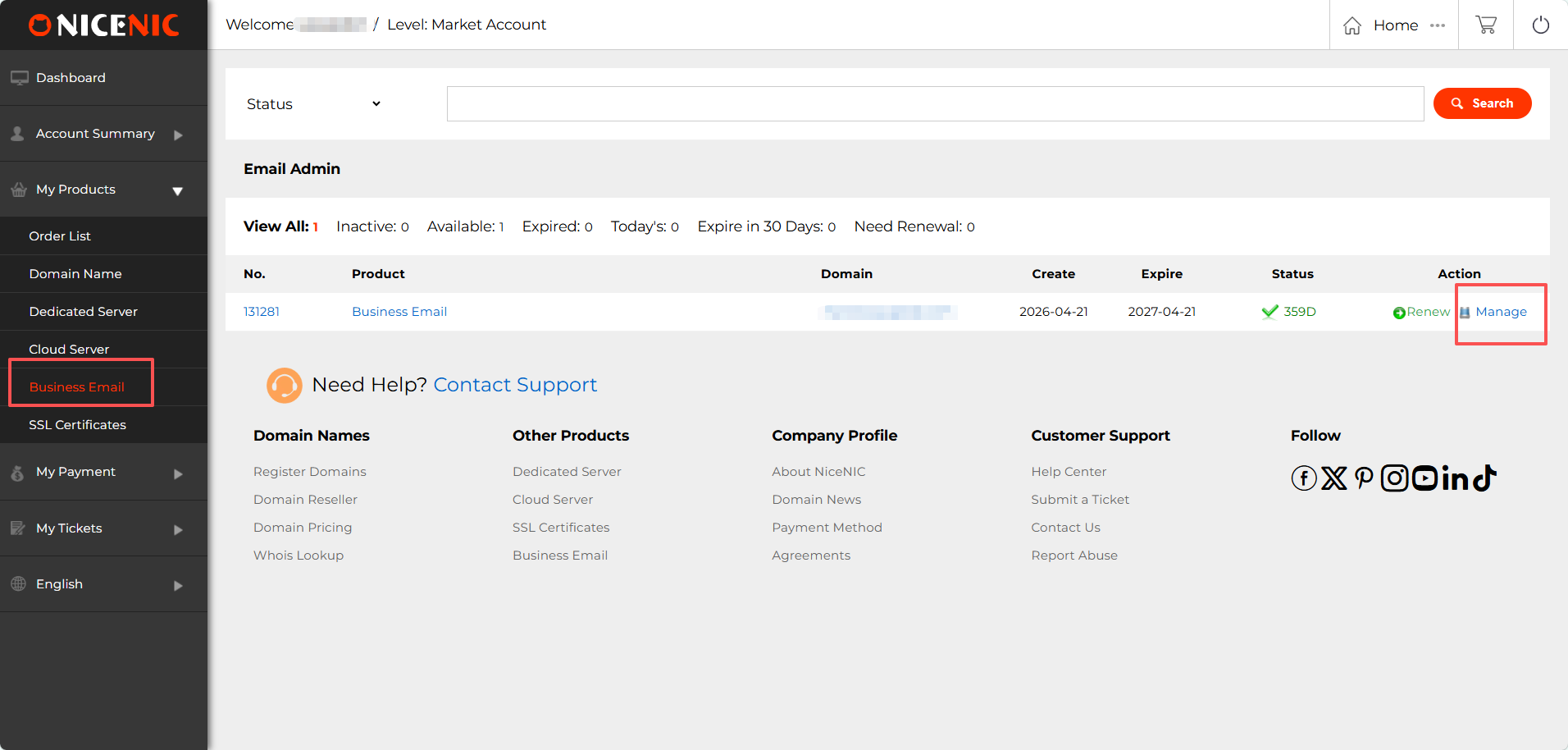
2. Locate your Admin Account and Login information
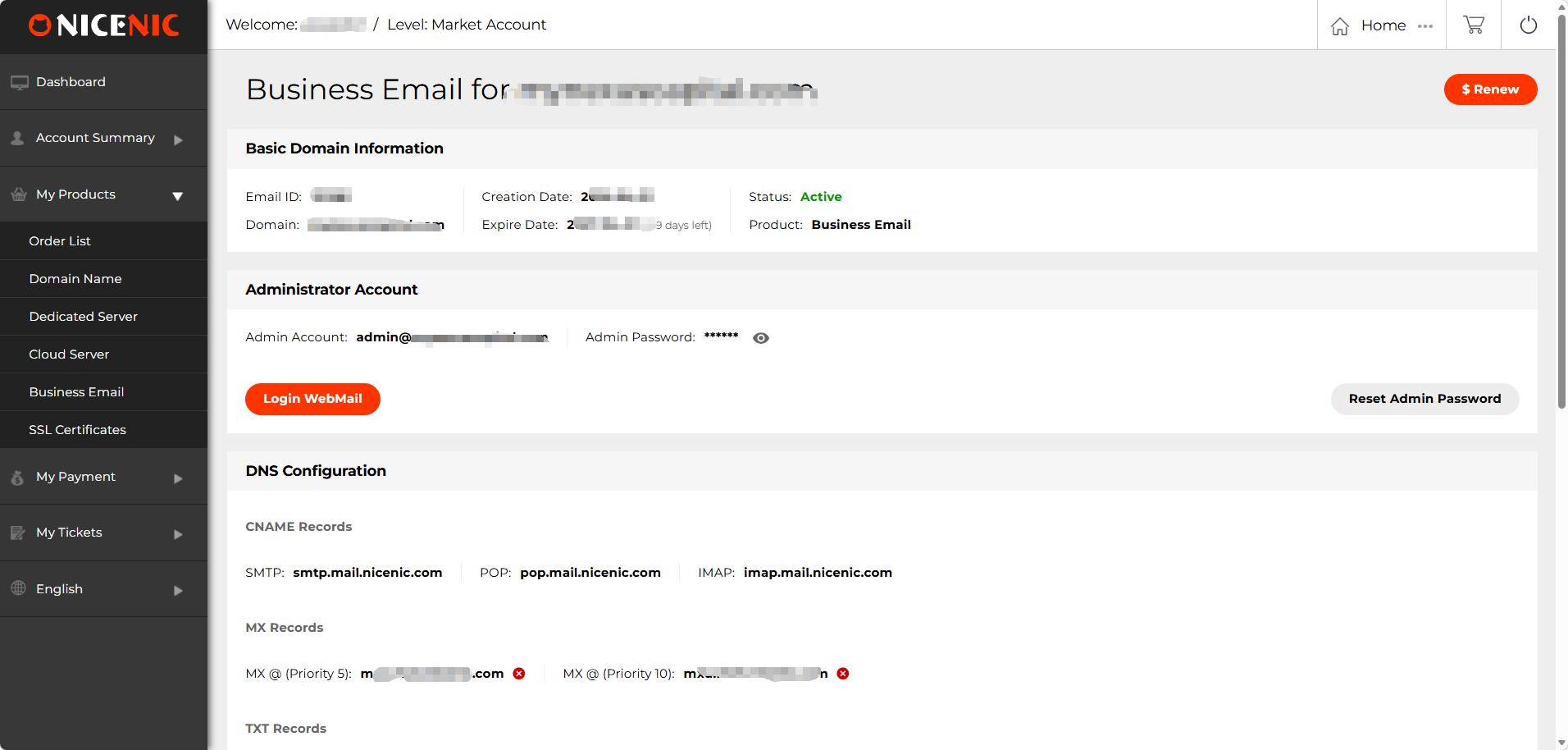
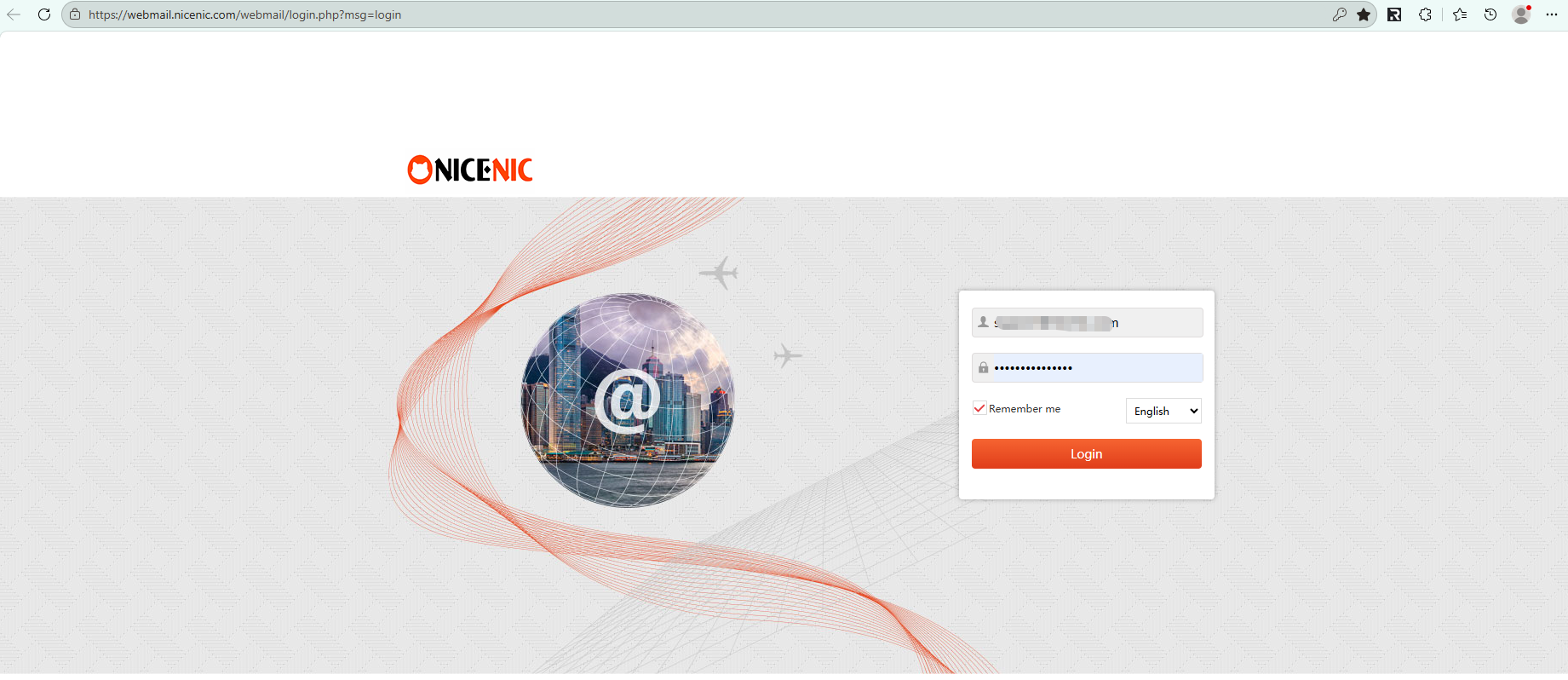
3. Click "Login WebMail" to access your mailbox
We've made an important improvement to enhance your experience.
Previously, customers needed to contact support to receive Business Email login information.
Now:
- Business Email is automatically provisioned after purchase
- Login details are available directly in your NiceNIC account
- No manual request or waiting time is required
How to Access Your Business Email
You can access your Business Email login details by following these steps:
1. Log in to your NiceNIC account
Navigate to: My Products > Business Email > Manage
2. Locate your Admin Account and Login information
3. Click "Login WebMail" to access your mailbox
Need help? We're always here for you.
Submit a Ticket









- Domain Names
- Registering Domains
- Domain Reseller
- Domain Pricing
- Whois Lookup
- Our Products
- Dedicated Server
- Cloud Server
- SSL Certificates
- Business Email
- Company Profile
- About NiceNIC
- Domain News
- Payment Method
- Agreements
- Customer Support
- Help Center
- Submit a Ticket
- Contact Us
- Report Abuse
Copyright © 2006-2026 NICENIC INTERNATIONAL GROUP CO., LIMITED All Rights Reserved