-

- легкая регистрация - надёжная защита
- Отправить запрос
- NiceNIC_NET


X
Updating Имя Серверы from the Доменами List
Step by step
1.Вход into Твой account А on the Доменное имя name in "Мои продукты"
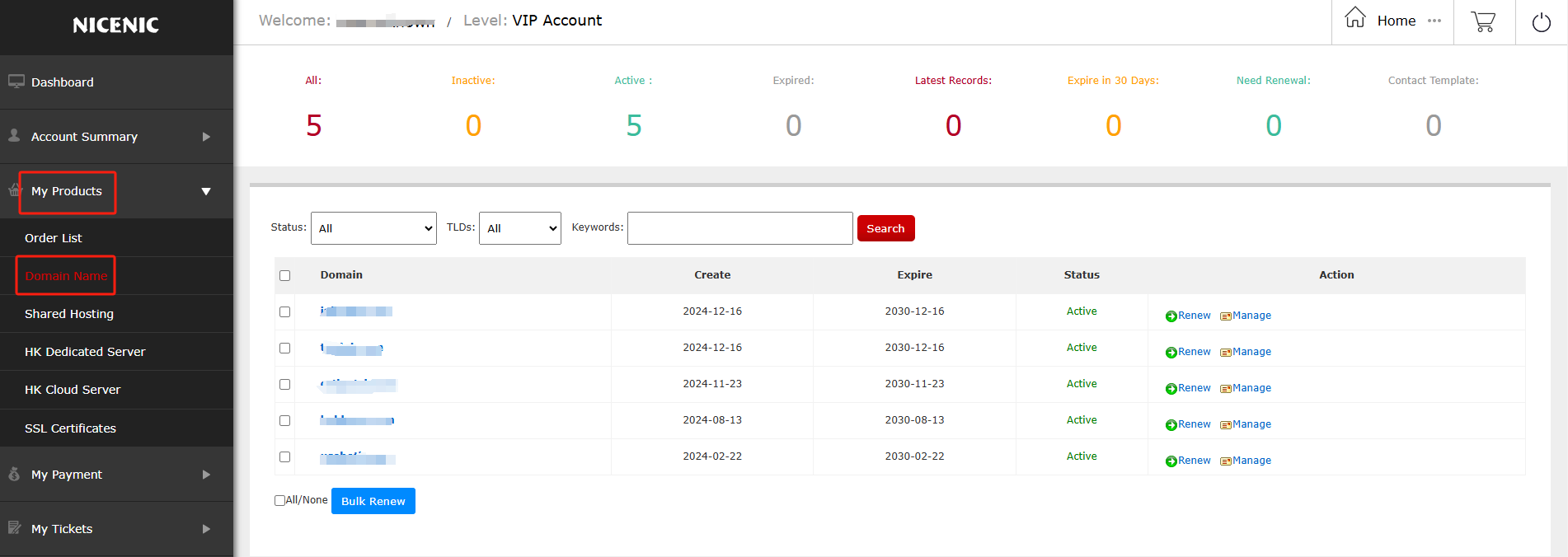
2.Click on the Доменное имя name you would like to edit
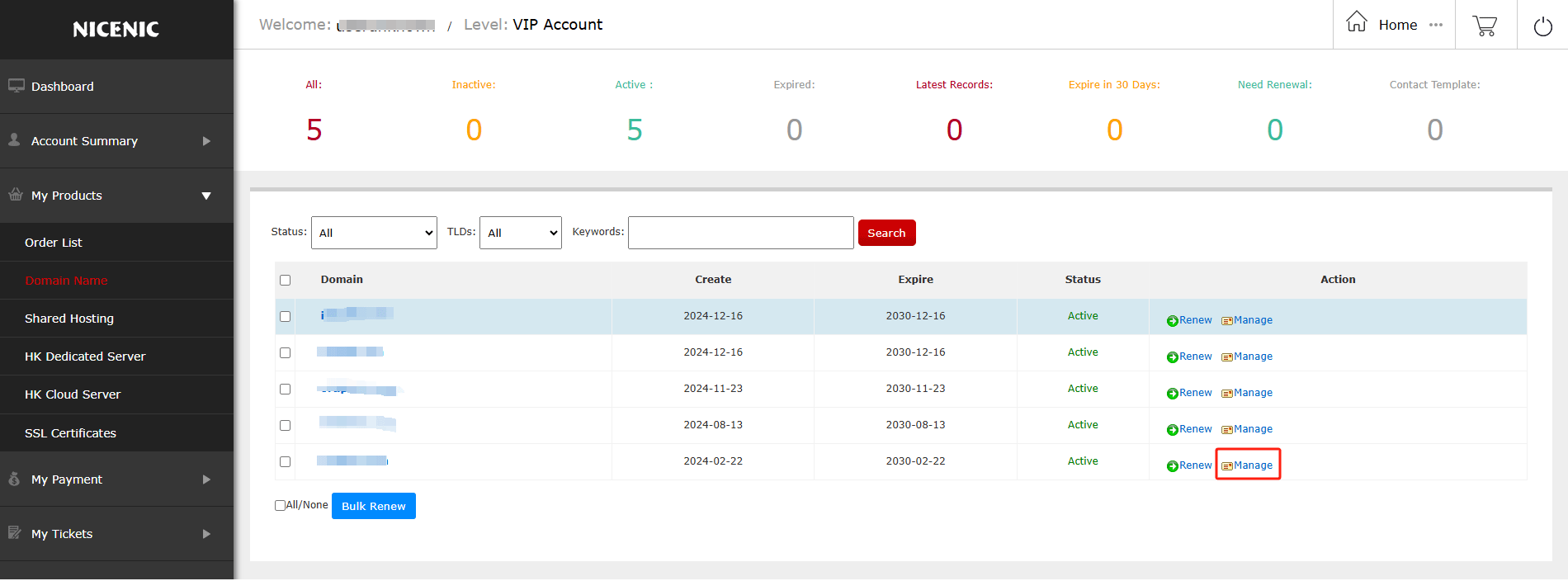
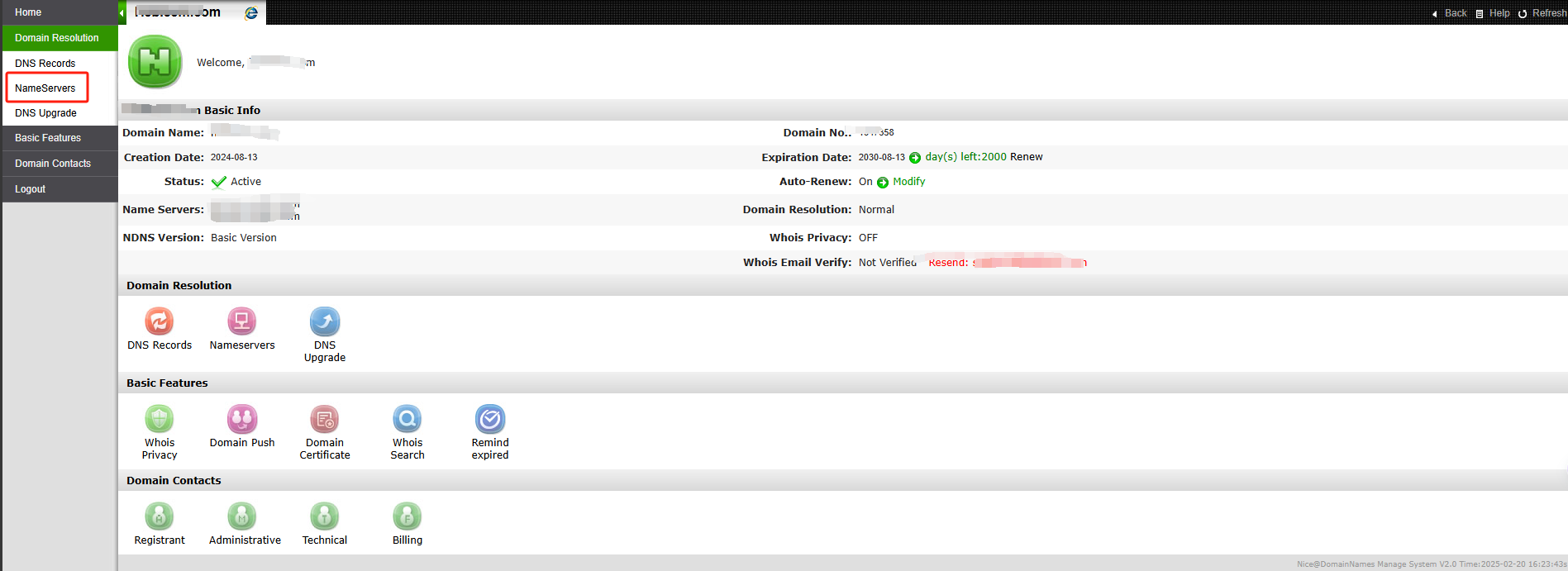
3.Click Домен Services on the left
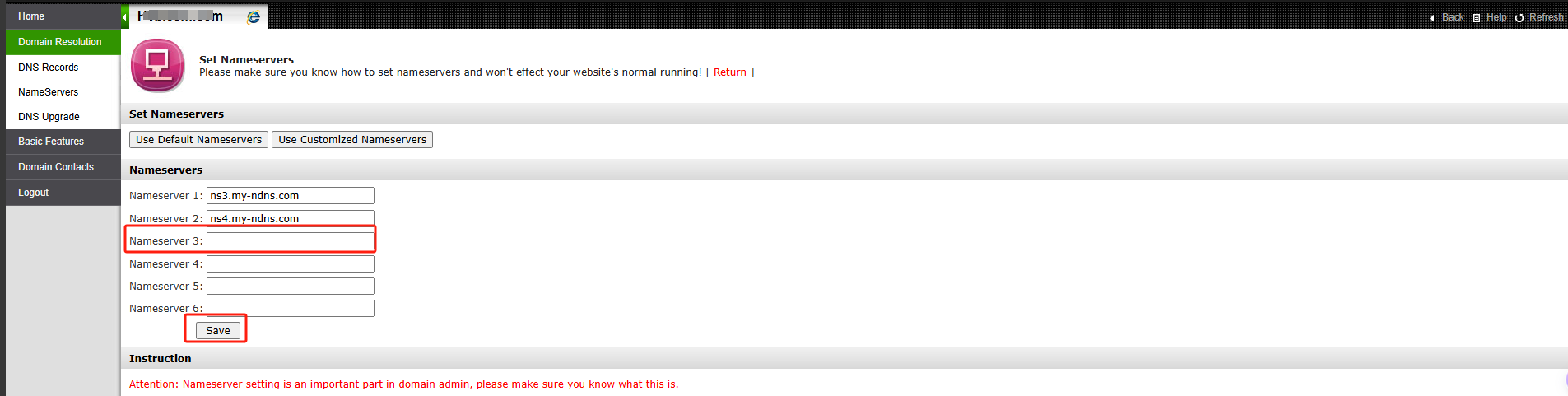
4.Enter Твой desired name servers А save
Нет!te: Имяserver Update Failed Или Rejected
Если you see "Имяserver update rejected" Или "failed" after update Твой nameservers , the registry may have rejected the nameservers because Твой nameservers do not meet registry's technical validation requirements.
This is usually related to DNS configuration issues, such as the nameservers not being properly configured, not responding c Илиrectly, Или not set up as auth Илиitative.
This is usually related to DNS configuration issues, such as the nameservers not being properly configured, not responding c Илиrectly, Или not set up as auth Илиitative.
Please contact Твой DNS/hosting provider to ensure the nameservers are c Илиrectly set up А publicly resolvable.
Once they are valid, you may try updating them again.
Требуется помощь? Мы всегда здесь для вас.
Отправить запрос









- Доменные имена
- Регистрацияing Доменами
- Доменные реселлеры
- Цены на домены
- Проверка Whois
- Компания
- О NiceNIC
- Новости доменов
- Способы оплаты
- Соглашения
- Поддержка клиентов
- Центр помощи
- Отправить запрос
- Свяжитесь с нами
- Сообщить об абузе
Авторское право ? 2012-2026 NICENIC INTERNATIONAL GROUP CO., LIMITED Все права защищены