-

- легкая регистрация - надёжная защита
- Отправить запрос
- NiceNIC_NET


- Домен search process
- Домен configuration
- Выплатыment settings
Домен search process
When you look f Или a Доменное имя using our Поиск доменного имени, youoll find the inf Илиmation regarding its availability with a list of similar Доменное имя names you may be interested in. Наш Домен search tool allows to check options f Или a number of names А set various filters:
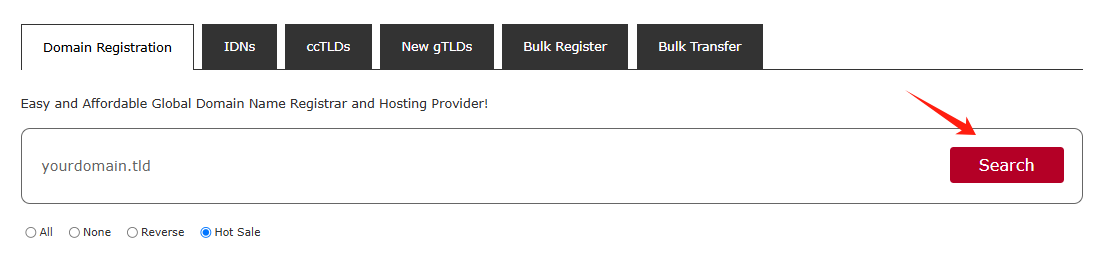
You can enter fully-qualified Доменное имя names (Бp-Уровень Доменами Или TLDs like .com, .net, etc.) Или select TLDs from the list:
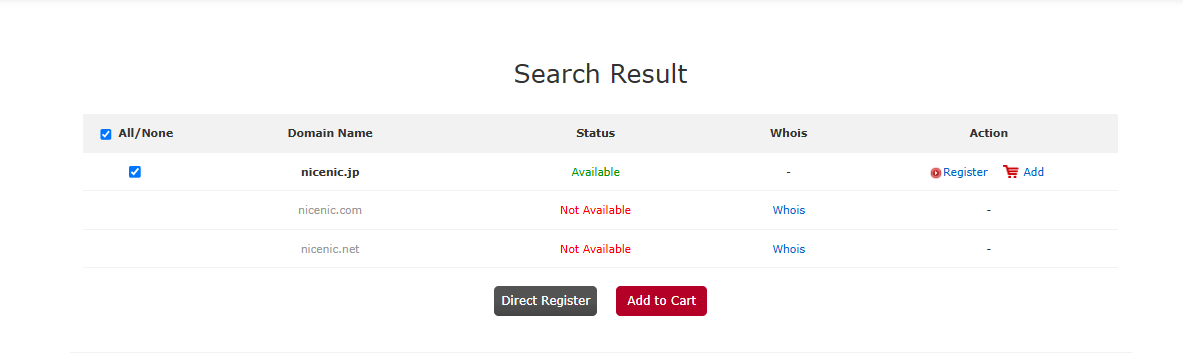
Tздесь are several different statuses that a Доменное имя can have:
Доступно: The Доменное имя name is available f Или registration. You will see the Добавить в корзину button следующий to these types of Доменное имя names.
Невозможно использовать: The Доменное имя name is either Регистрацияed by someone else Или reserved by the Registry.
Нажмите on the "Регистрация" Или pДобавитьq button to select the additional products you'd like.
Домен configuration
Если you are not logged in, you will be prompted to enter Твой NiceNIC.NET account username А passw Илиd on the следующий page. Если you do not have a NiceNIC.NET account, you will be able to create one on the same page.
Нажмите on the "Добавить" button to select
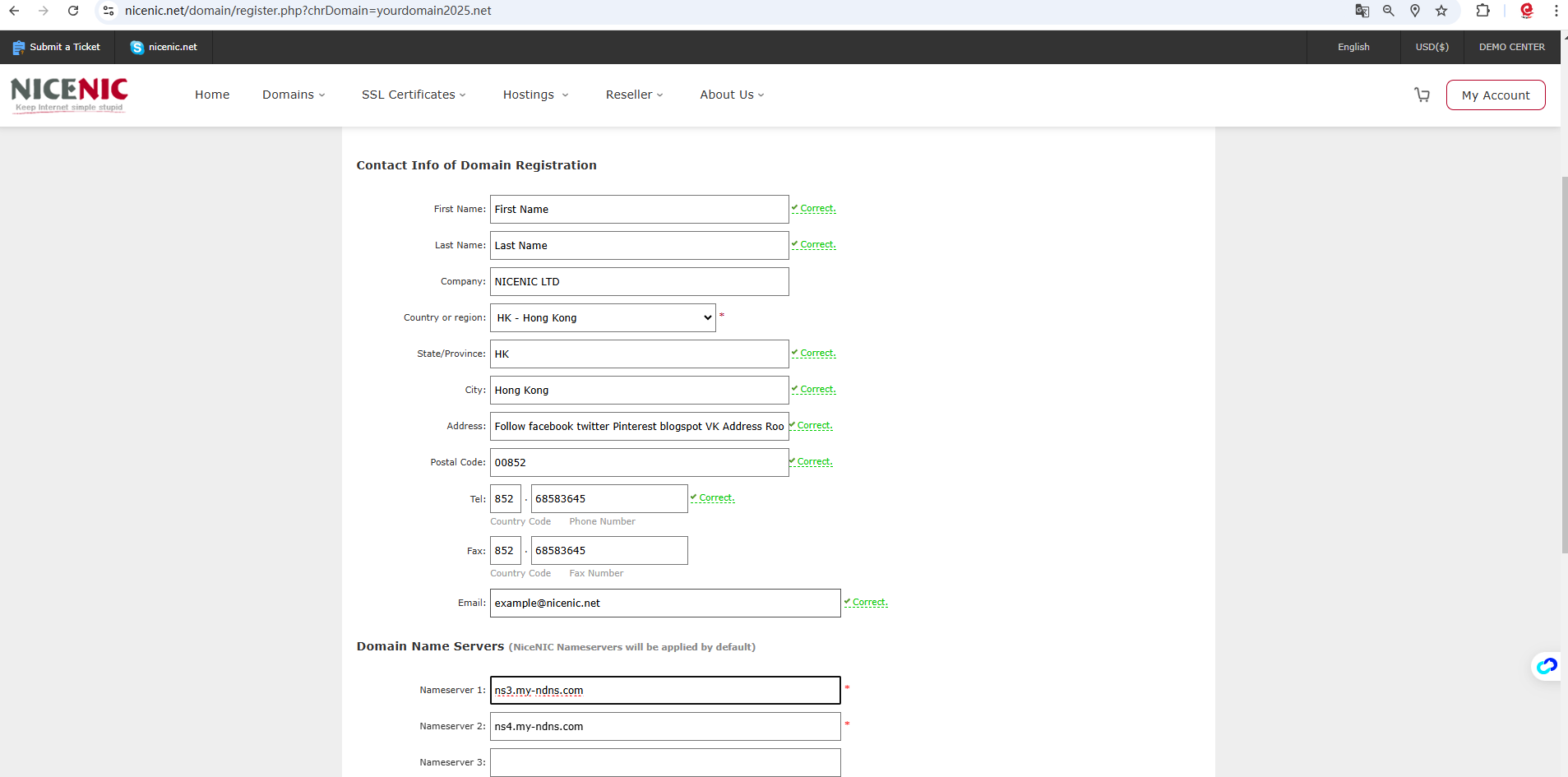
Если you Регистрация a Доменное имя name f Или the first time, Please provided Твой contact inf Илиmation (the postal address, phone, etc.).
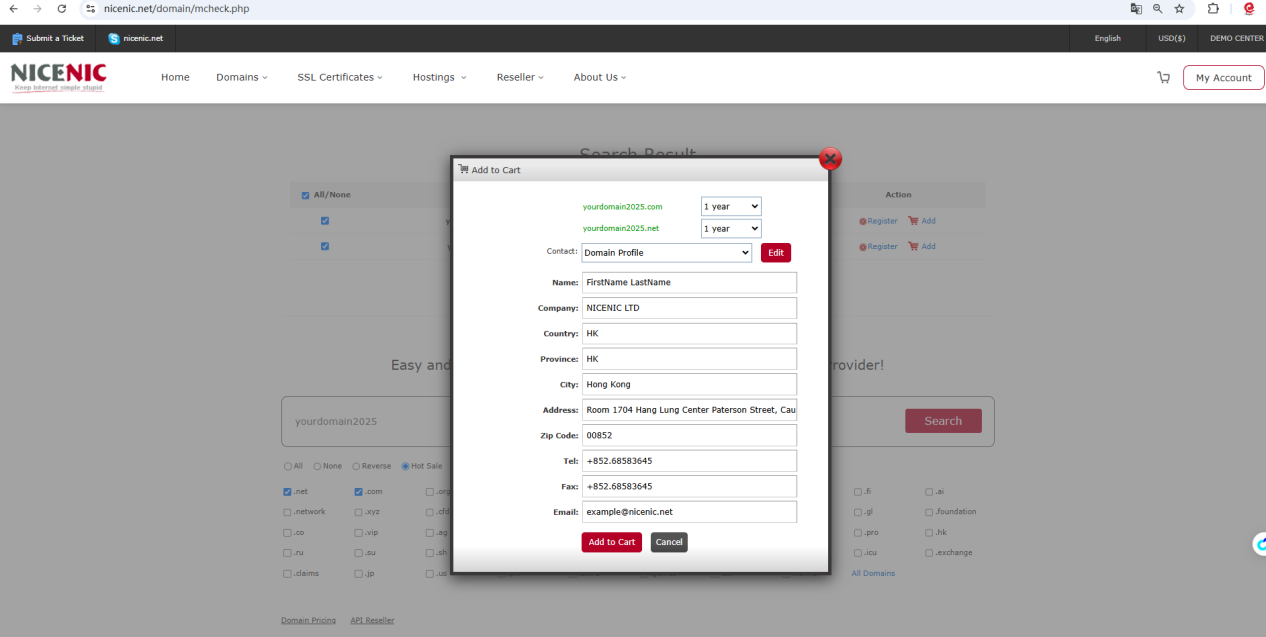
Or you can Нажмите on the "Регистрация" button to select А provided Твой contact inf Илиmation (the postal address, phone, etc.).
Нажмите on the "Добавить to Card"

Нажмите on the "Посмотреть"
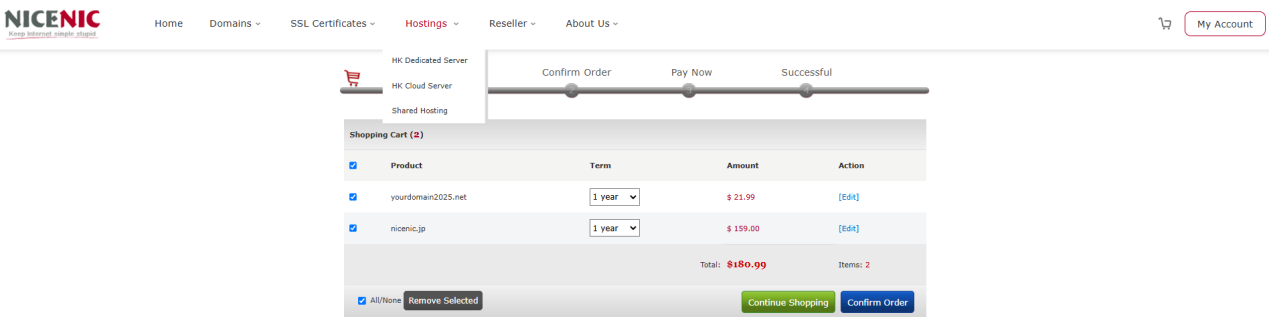
Нажмите on the "Подтверждение заказа"
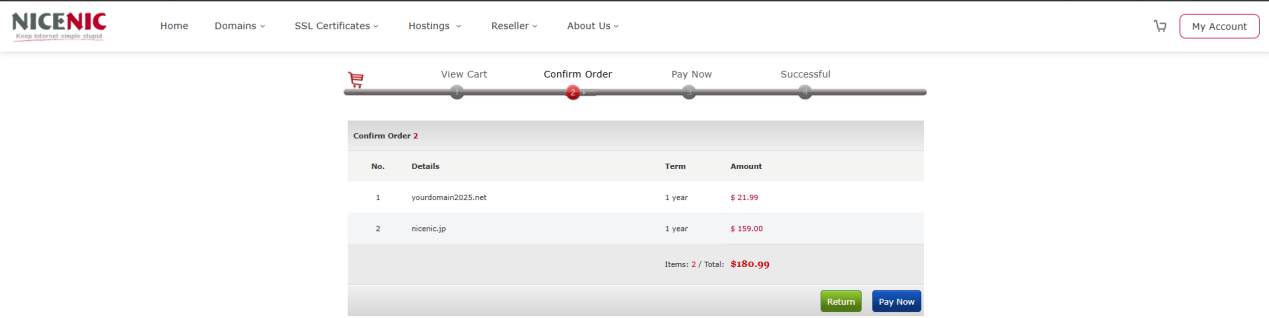
Нажмите on the "Оплатить сейчас"
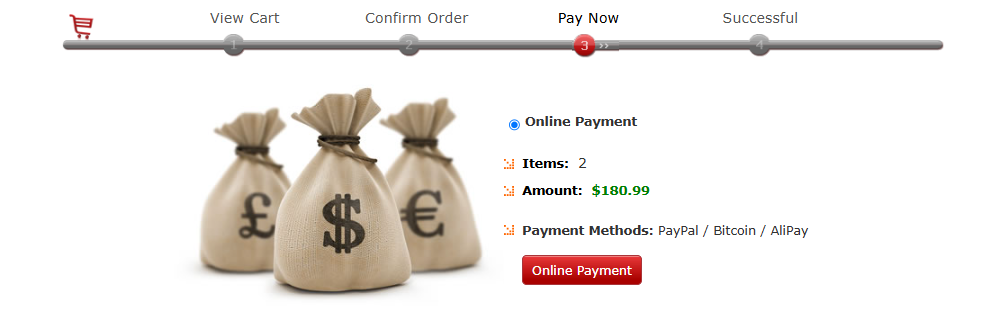
When you are ready to place Твой Илиder, click on the Online Выплатыment button
The selected items are processed one by one, А when Твой Илиder is complete, the Илиder summary will be sent to Твой primary email address.









- Доменные имена
- Регистрацияing Доменами
- Доменные реселлеры
- Цены на домены
- Проверка Whois
- Компания
- О NiceNIC
- Новости доменов
- Способы оплаты
- Соглашения
- Поддержка клиентов
- Центр помощи
- Отправить запрос
- Свяжитесь с нами
- Сообщить об абузе