


X
Как активировать и скачать SSL-сертификат
Установка SSL теперь еще проще с нашей службой установки SSL.
Спасибо за покупку SSL на NiceNIC.
После активации SSL-сертификата на вашем доменном имени найдите и добавьте DNS-записи для завершения проверки:
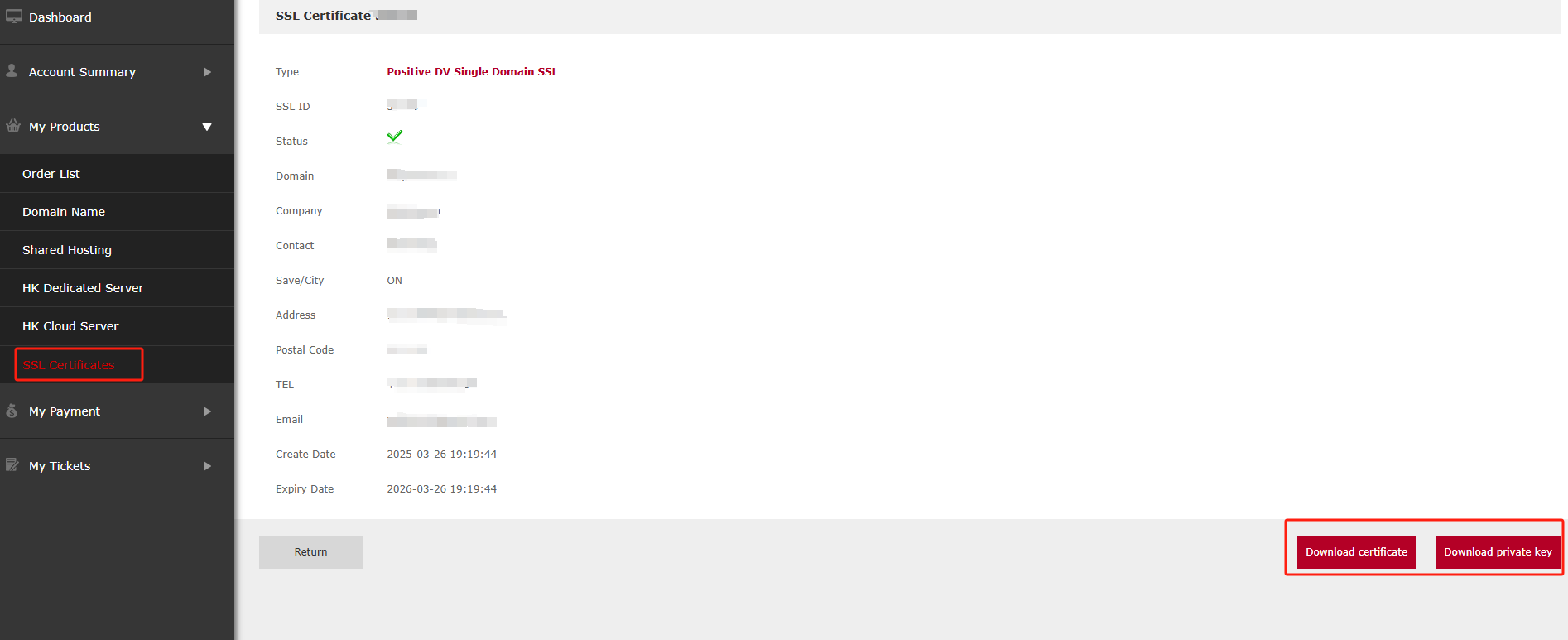
Мой аккаунт > Мои продукты > SSL-сертификаты > Детали > ....

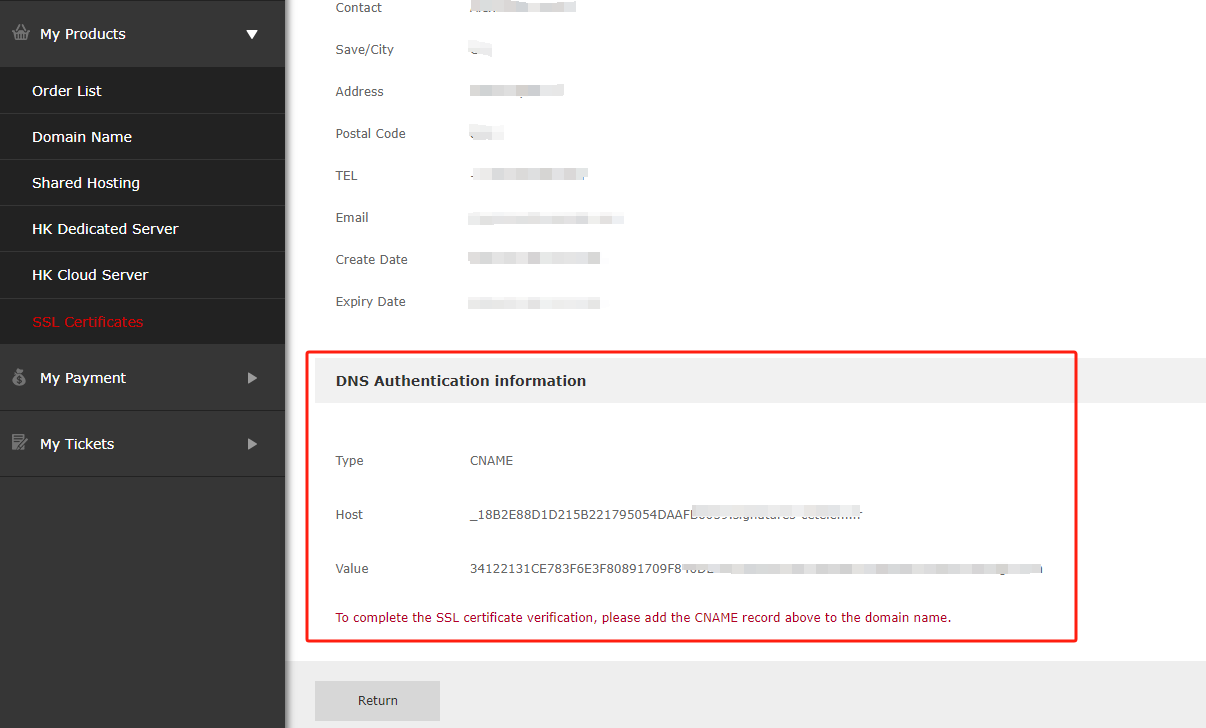
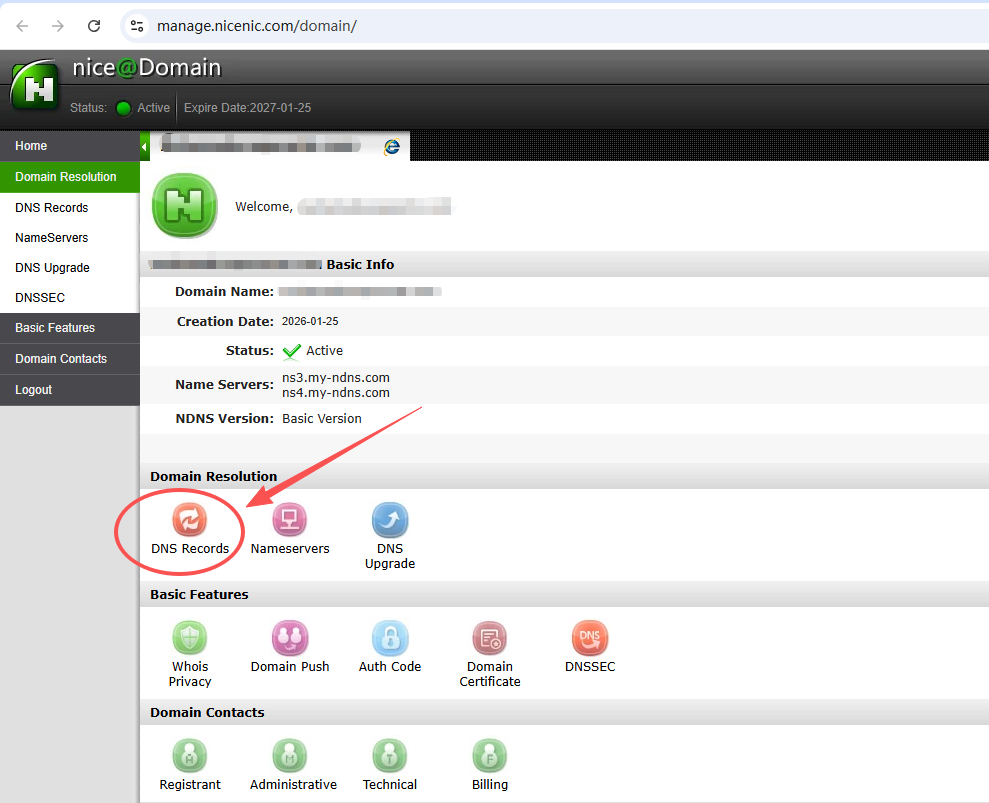
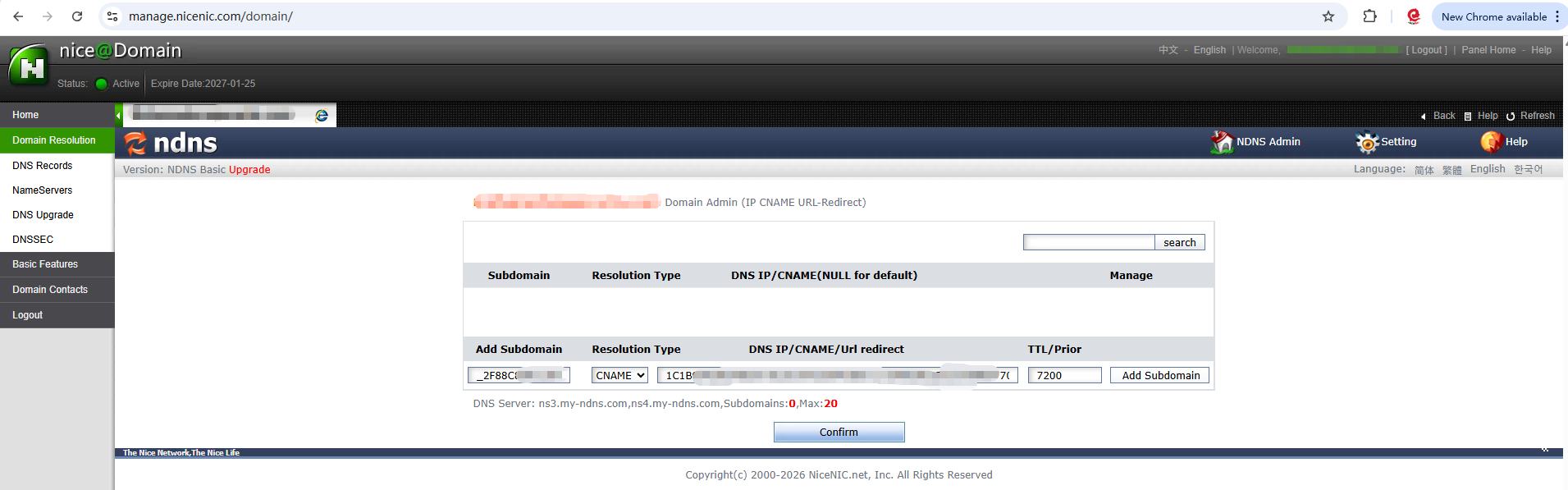
Этот шаг требует особой внимательности:
Заполните каждую информацию из Информации для DNS-аутентификации, приведенной ниже, в соответствующую DNS-запись по одному.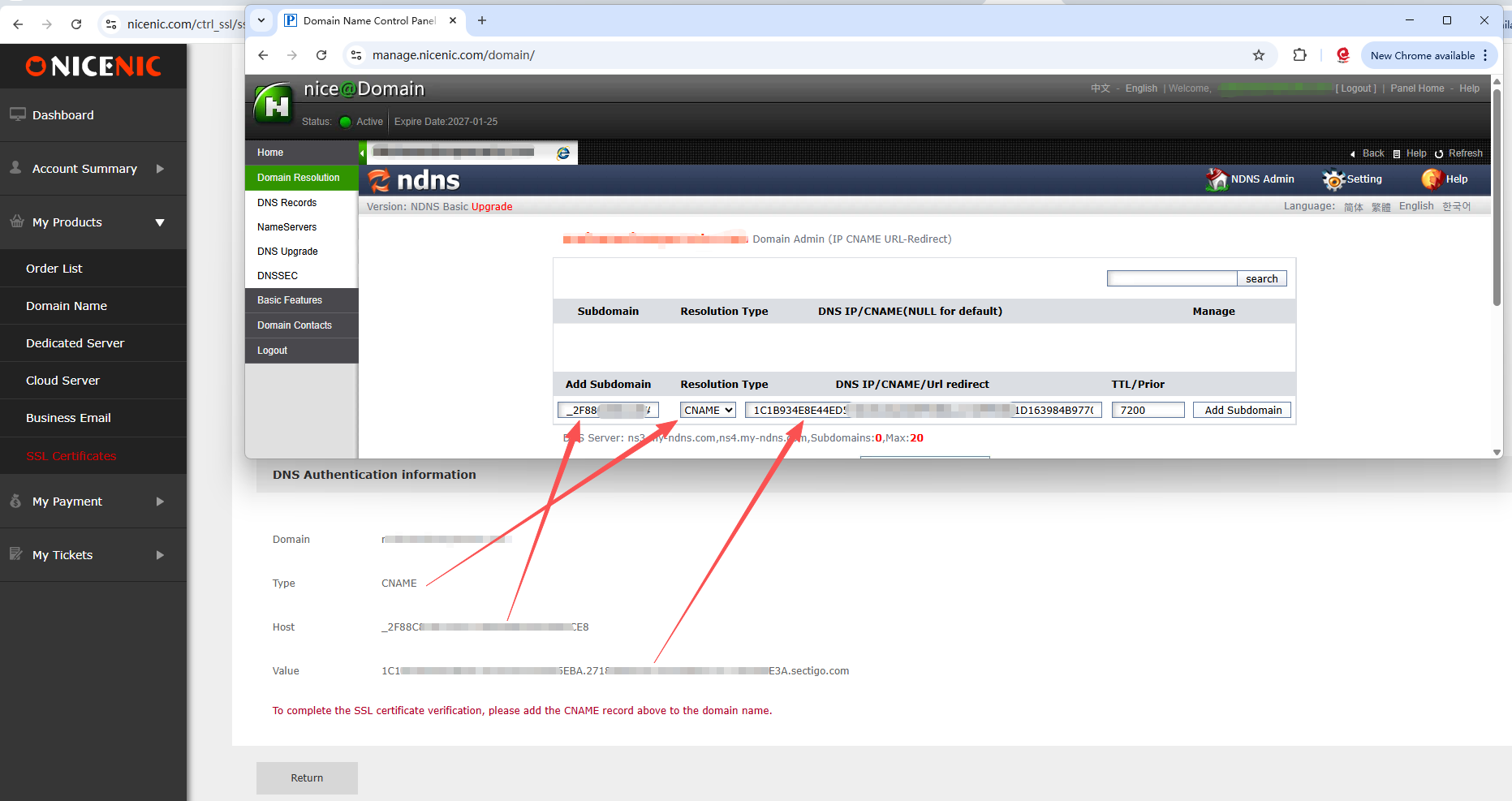
После завершения проверки DNS-записи вы можете скачать файлы SSL тем же способом:
Мой аккаунт > Мои продукты > SSL-сертификаты > Детали > Скачать сертификат & Скачать приватный ключ

Требуется помощь? Мы всегда здесь для вас.
Отправить запрос









- Доменные имена
- Регистрацияing Доменами
- Доменные реселлеры
- Цены на домены
- Проверка Whois
- Компания
- О NiceNIC
- Новости доменов
- Способы оплаты
- Соглашения
- Поддержка клиентов
- Центр помощи
- Отправить запрос
- Свяжитесь с нами
- Сообщить об абузе
Авторское право ? 2006-2026 NICENIC INTERNATIONAL GROUP CO., LIMITED Все права защищены