


X
Если у вас еще нет аккаунта Nicenic и вы хотите узнать, как работает наша Панель Управления Пользователем, эта статья предоставит вам полноценное руководство. Панель Управления Nicenic — это мощный инструмент, предназначенный для беспроблемного управления доменами, продуктами и настройками аккаунта. Независимо от того, управляете ли вы небольшим портфелем доменов или осуществляете массовую регистрацию доменов, эта панель управления оснащена всеми необходимыми функциями для эффективной оптимизации ваших операций.
Обзор Панели Управления
Панель управления — ваш центральный хаб, предоставляющий обзор аккаунта с первого взгляда. Ключевые элементы включают:
1. Баланс аккаунта:
Быстрый просмотр вашего текущего баланса и истории транзакций.
Быстрый просмотр вашего текущего баланса и истории транзакций.
2. Мои домены:
Просмотр, управление и продление ваших зарегистрированных доменов.
Просмотр, управление и продление ваших зарегистрированных доменов.
3. Мои продукты:
Доступ и управление вашими продуктами, включая доменные имена, серверы, бизнес-почту и SSL-сертификаты.
Доступ и управление вашими продуктами, включая доменные имена, серверы, бизнес-почту и SSL-сертификаты.
4. Мой сервер и моя бизнес-почта:
Прямые ссылки для управления сервером и почтой.
Прямые ссылки для управления сервером и почтой.
5. Регистрация домена:
Легкая регистрация новых доменных имен, упрощающая расширение вашего портфеля.
Легкая регистрация новых доменных имен, упрощающая расширение вашего портфеля.
6. Массовая регистрация:
Регистрация нескольких доменов одновременно для экономии времени и более эффективного управления большим портфелем.
Регистрация нескольких доменов одновременно для экономии времени и более эффективного управления большим портфелем.
7. Массовая передача:
Передача нескольких доменов группой от других регистраторов к Nicenic, упрощая процесс управления.
Передача нескольких доменов группой от других регистраторов к Nicenic, упрощая процесс управления.
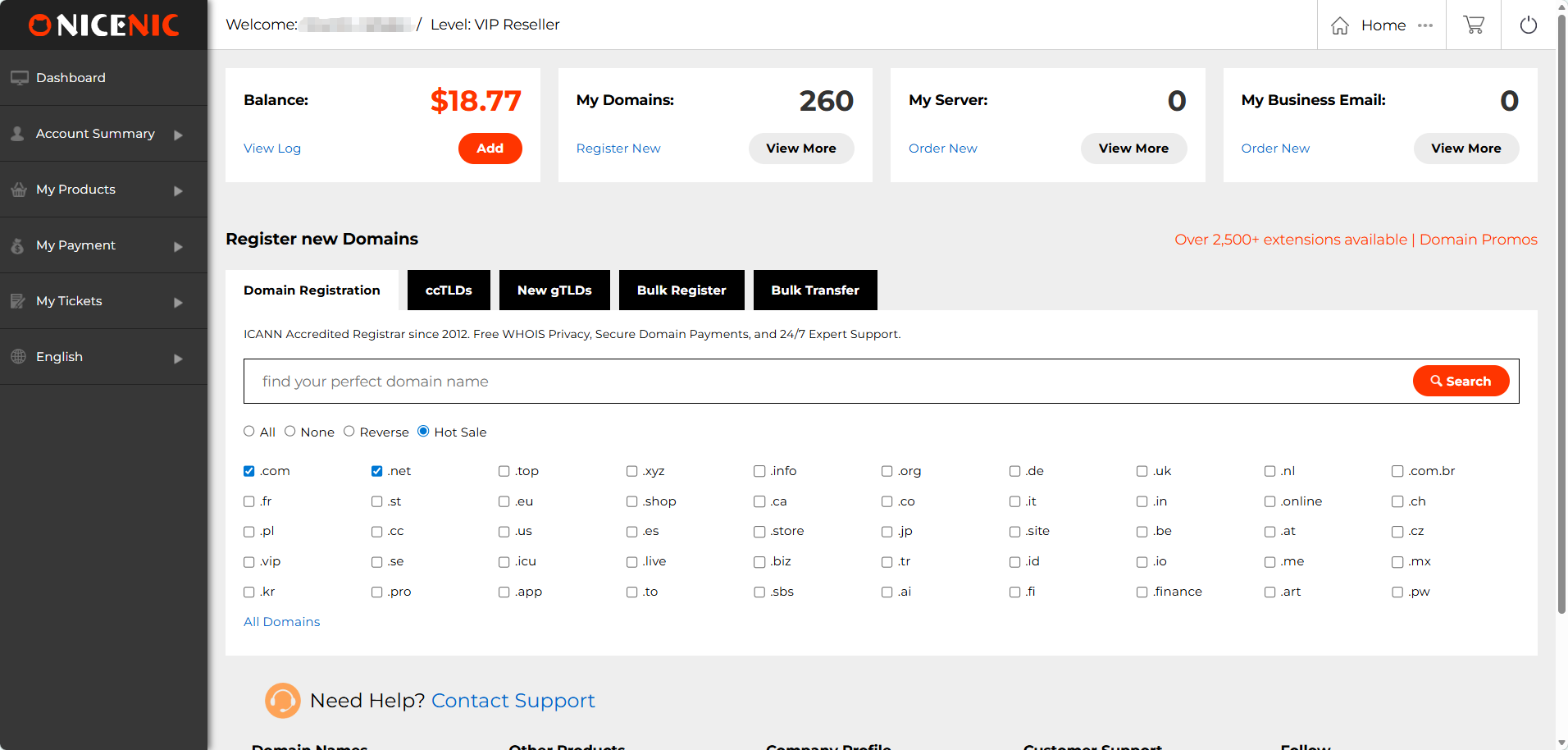
Этот раздел предлагает удобный интерфейс, упрощающий отслеживание всего портфеля, регистрацию новых доменов и управление существующими с одного места.
Сводка по аккаунту
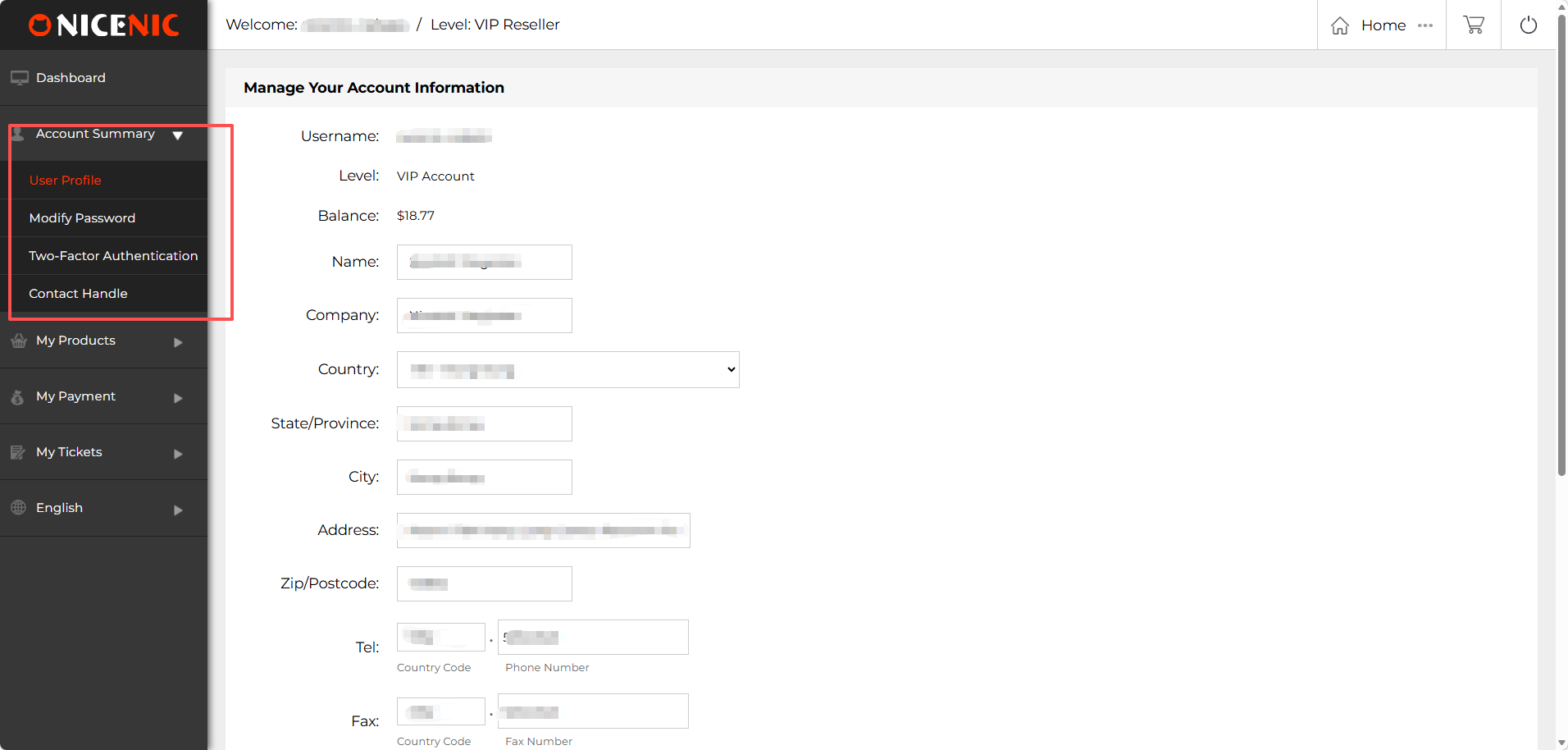
Раздел Сводка по аккаунту в Панели Управления Nicenic позволяет вам управлять и обновлять личную и учетную информацию.
1. Профиль пользователя:
Здесь вы можете обновлять личные данные, такие как имя, информацию о компании, страну, штат/регион, город, адрес, почтовый индекс и контактные номера. Обновление профиля обеспечивает получение важных уведомлений и сообщений по аккаунту.
2. Смена пароля:
Легко изменяйте пароль для защиты вашего аккаунта. Используйте надежный пароль и обновляйте его регулярно для дополнительной безопасности.
3. Двухфакторная аутентификация (2FA):
Включите двухфакторную аутентификацию, чтобы добавить дополнительный уровень безопасности к вашему аккаунту Nicenic. Эта функция гарантирует, что доступ к аккаунту будете иметь только вы, даже если пароль скомпрометирован.
4. Контактный обработчик:
Обновите или создайте ваш Контактный обработчик, используемый для доменных коммуникаций. Точная контактная информация необходима для получения обновлений WHOIS и управления передачами или спорами по доменам.
Мои продукты
Мои продукты:
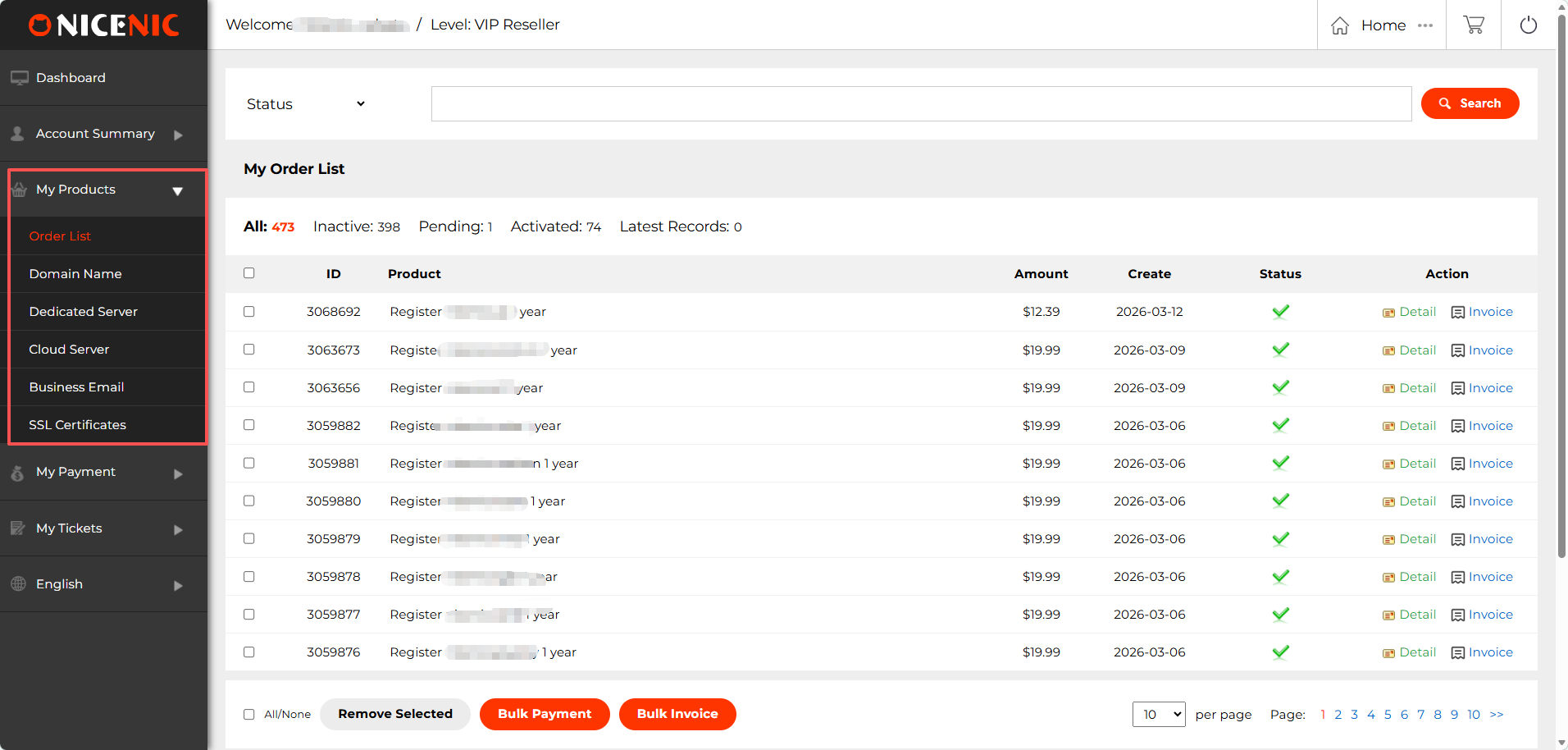
В разделе Мои продукты Панели Управления Пользователем Nicenic вы найдете множество функций для упрощения управления доменами, серверами и другими продуктами. Ниже основные компоненты этого раздела:
1. Список заказов
Список заказов предоставляет подробный обзор всех ваших заказов доменов и продуктов. Здесь вы можете:
Просматривать и управлять заказами: Каждый заказ отображает важную информацию, такую как продукт, сумма, дата создания и статус заказа.
Массовая оплата: Используйте массовую оплату для одновременной оплаты нескольких заказов, экономя время и упрощая процесс платежей.
Массовый счет: Генерируйте и скачивайте счета для нескольких заказов одновременно с помощью массового счета, что облегчает ведение финансовой отчетности.
Эти функции особенно полезны для реселлеров и бизнесов, управляющих несколькими доменами и сервисами.
2. Управление доменами
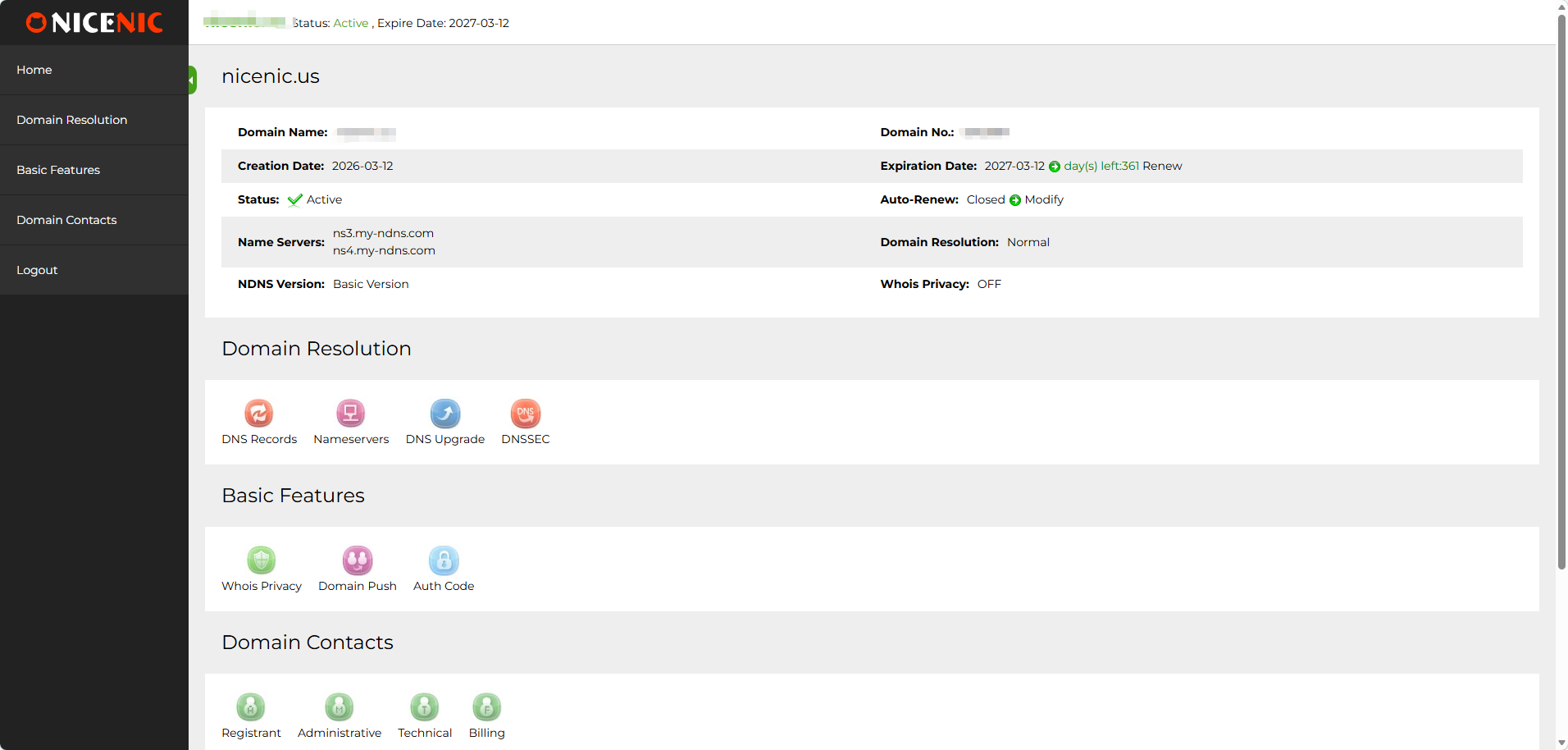
В разделе управления доменами вы можете:
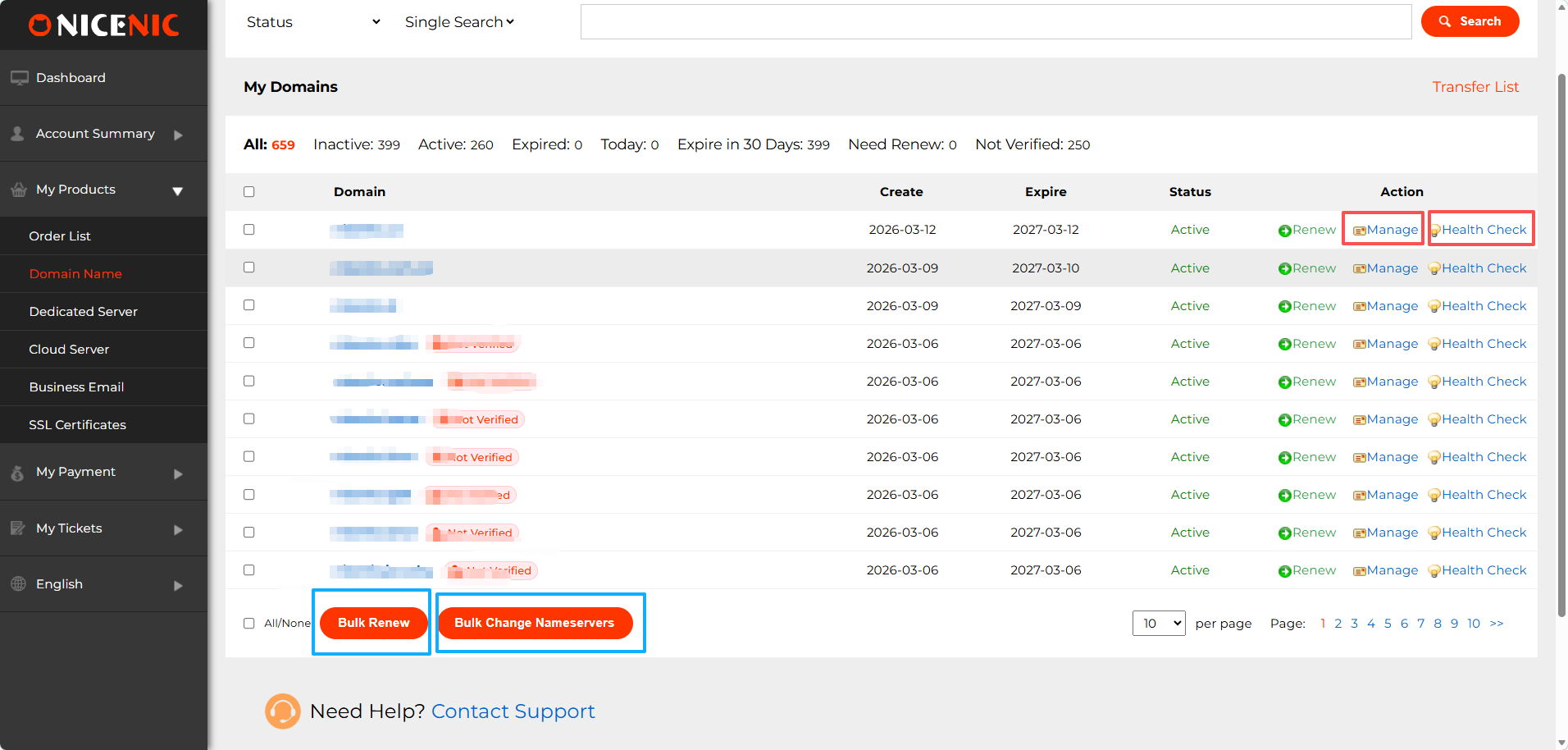
Управлять доменами: управлять DNS-записями, неймсерверами, обновлять информацию WHOIS, WHOIS-приватность, внутренние передачи доменов, DNSSEC
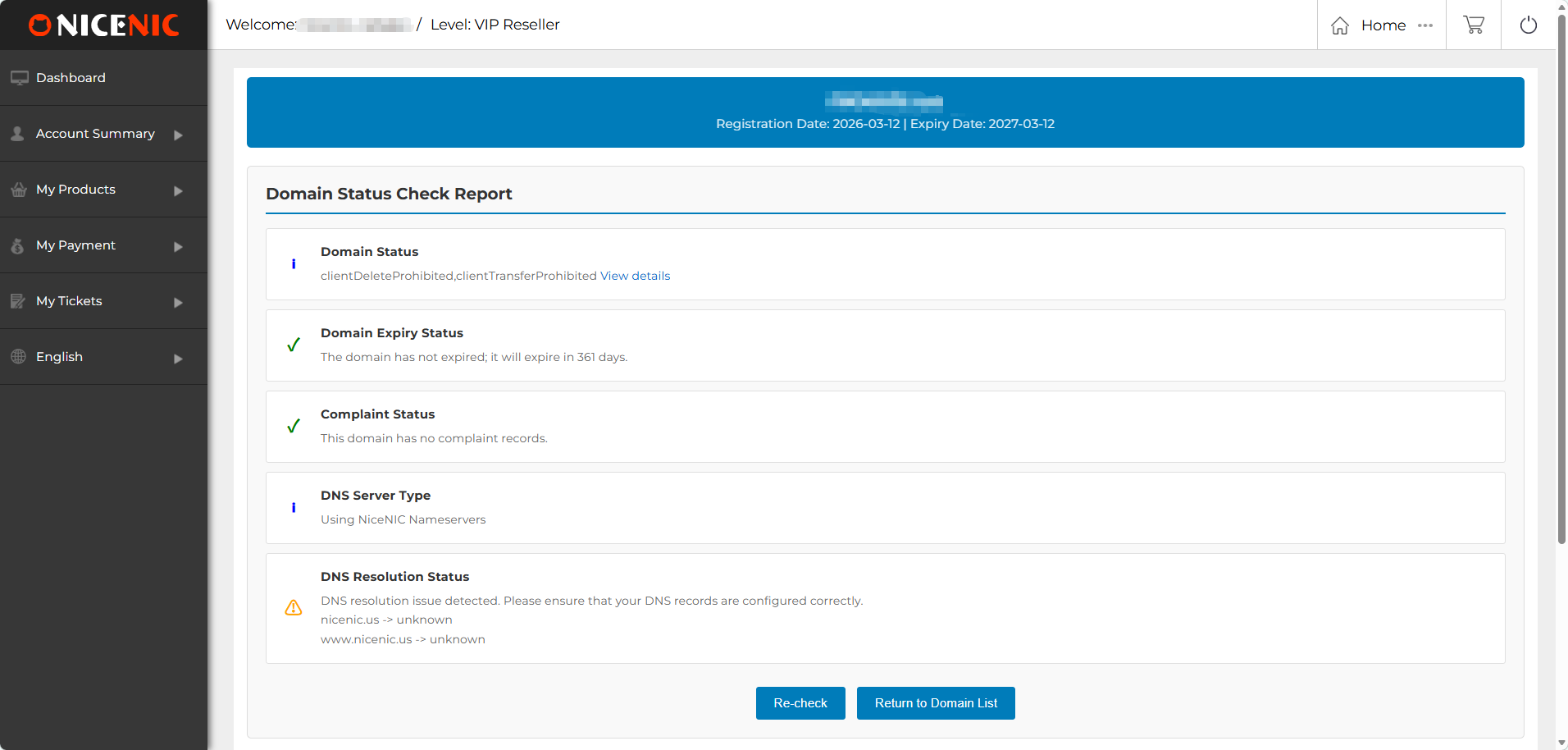
Проверка состояния: выполнять проверки состояния, чтобы контролировать статус ваших доменов, обеспечивая правильную работу DNS, WHOIS и информации о сроках действия.
Массовое продление: Позволяет продлить несколько доменов одновременно, чтобы избежать случайных истечений сроков.
Массовое изменение неймсерверов: Легко обновляйте неймсерверы для нескольких доменов одновременно с помощью массового изменения неймсерверов.
3. Другие продукты
Кроме управления доменами, Nicenic также предлагает другие важные продукты для нужд вашего бизнеса:
Выделенный сервер: управление выделенным сервером, идеальным для высокопроизводительного хостинга.
Облачный сервер: доступ и управление облачными серверами, обеспечивающими масштабируемые ресурсы для развивающегося бизнеса.
Бизнес-почта: настройка и управление профессиональными почтовыми сервисами для улучшения коммуникаций вашего бизнеса.
SSL-сертификаты: защита ваших сайтов с помощью SSL-сертификатов, обеспечивающих шифрование и доверие посетителей.
Мои платежи
Раздел Мои платежи в Панели Управления Пользователем Nicenic предназначен для управления всеми вашими финансовыми операциями.
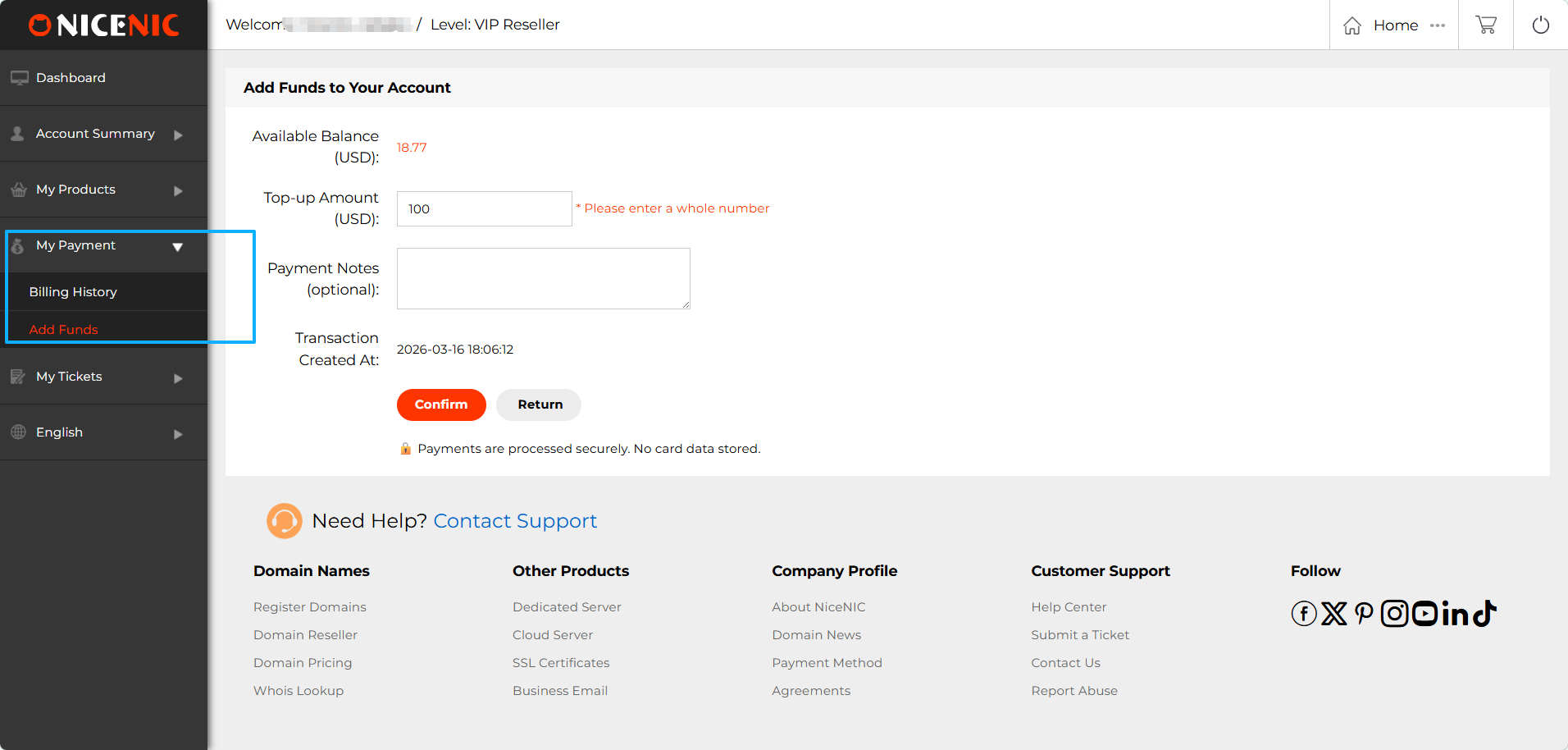
1. Пополнение счета
Функция Пополнение счета позволяет пополнить баланс аккаунта для оплаты регистраций доменов, продлений и других услуг.
2. История платежей
Получите доступ к истории платежей, чтобы просмотреть полный список ваших прошлых транзакций.
Мои тикеты
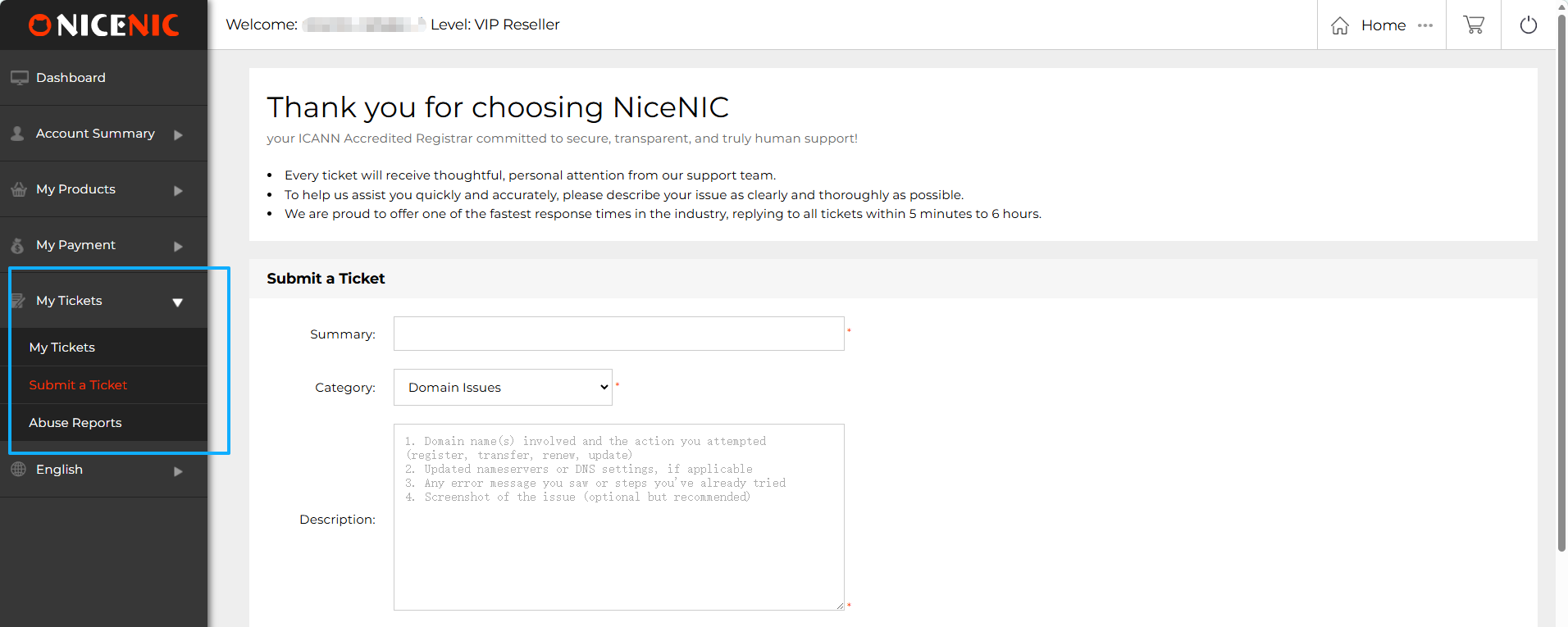
Раздел Мои тикеты в Панели Управления Nicenic предоставляет простой способ управления и подачи заявок в службу поддержки. Вот обзор ключевых функций:
1. Мои тикеты
Обзор: Здесь вы можете просмотреть все ваши прошлые и текущие заявки в поддержку. Каждый тикет отображает свой статус, например, открыт ли он, в работе или решён. Вы можете быстро получить доступ к деталям тикета для проверки обновлений или ответов от службы поддержки.
2. Подать заявку
Если у вас возникли проблемы с доменами, продуктами или услугами, вы можете быстро подать заявку в службу поддержки через этот раздел.
3. Жалобы на злоупотребления
Раздел Жалобы на злоупотребления предоставляет информацию о наиболее распространенных видах злоупотреблений
Поддержка нескольких языков
Панель управления пользователя Nicenic поддерживает несколько языков, чтобы сделать управление доменами более доступным. В настоящее время платформа доступна на шести языках:
Это гарантирует, что пользователи из разных регионов могут легко ориентироваться и управлять своими доменами на предпочитаемом языке.
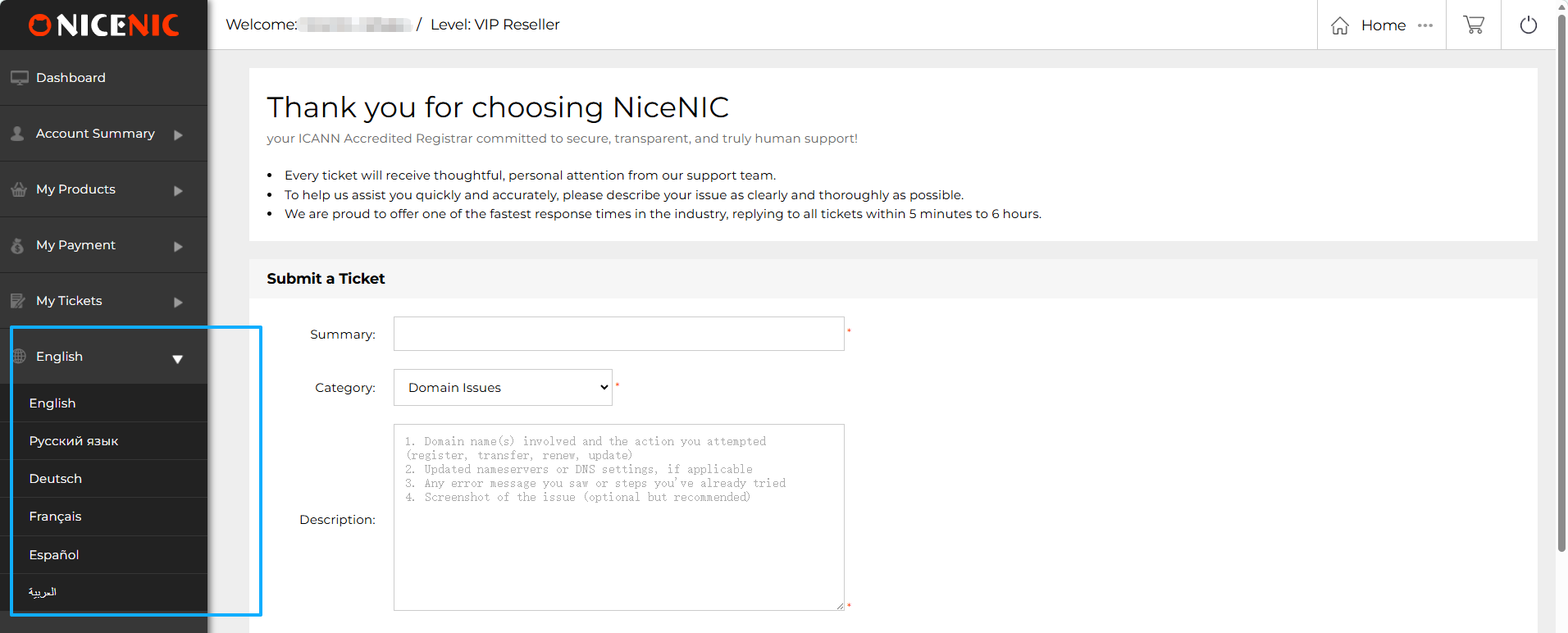
После выбора предпочитаемого языка вы можете беспрепятственно просматривать продукты и услуги на главной странице Nicenic. Независимо от того, предпочитаете ли вы русский, английский или любой из других поддерживаемых языков, вы легко можете переключать языки через верхнее навигационное меню.
Язык панели управления: после переключения языка на главной странице, ваша Панель Управления Пользователем также автоматически переключится на выбранный язык, обеспечивая единый опыт работы на платформе.
Требуется помощь? Мы всегда здесь для вас.
Отправить запрос









- Доменные имена
- Регистрацияing Доменами
- Доменные реселлеры
- Цены на домены
- Проверка Whois
- Компания
- О NiceNIC
- Новости доменов
- Способы оплаты
- Соглашения
- Поддержка клиентов
- Центр помощи
- Отправить запрос
- Свяжитесь с нами
- Сообщить об абузе
Авторское право ? 2006-2026 NICENIC INTERNATIONAL GROUP CO., LIMITED Все права защищены