-

- Fácil de Registrar, Seguro de Poseer
- Enviar un Ticket
- NiceNIC_NET


X
Updating Nombre Servidoes from the Dominios List
Step by step
1.Iniciar sesión into tu/tus/su/sus account y on the dominio name in "Mis Productoos"
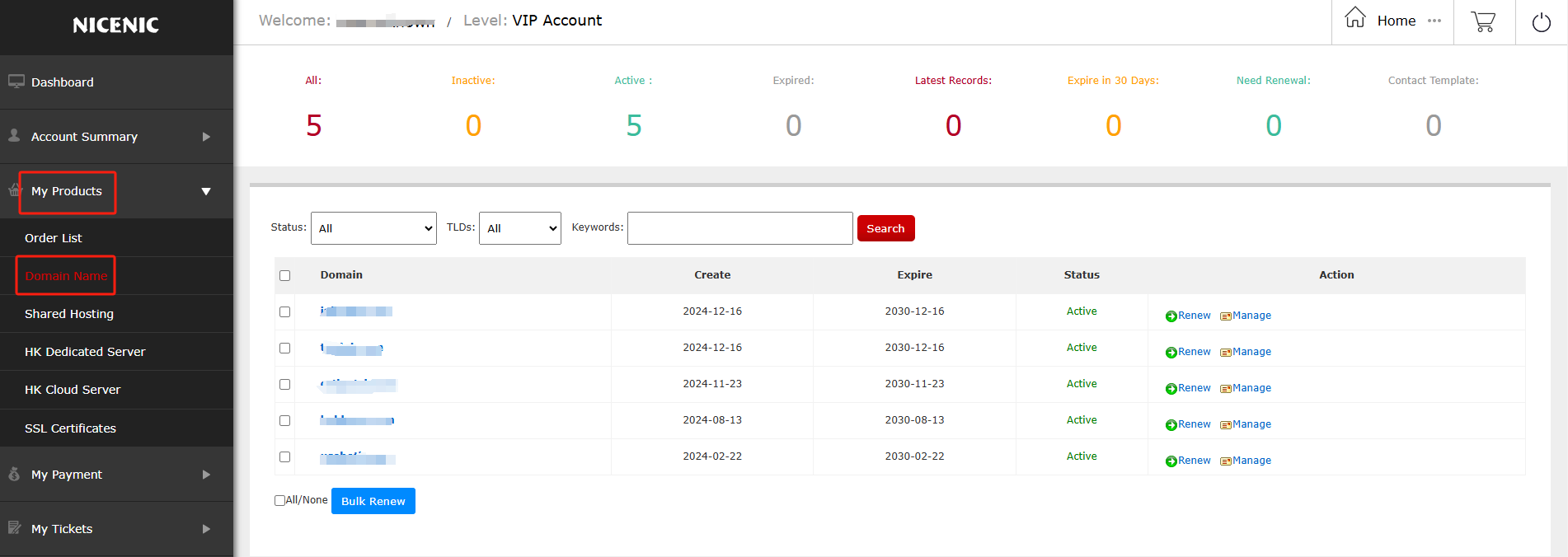
2.Click on the dominio name you would like to edit
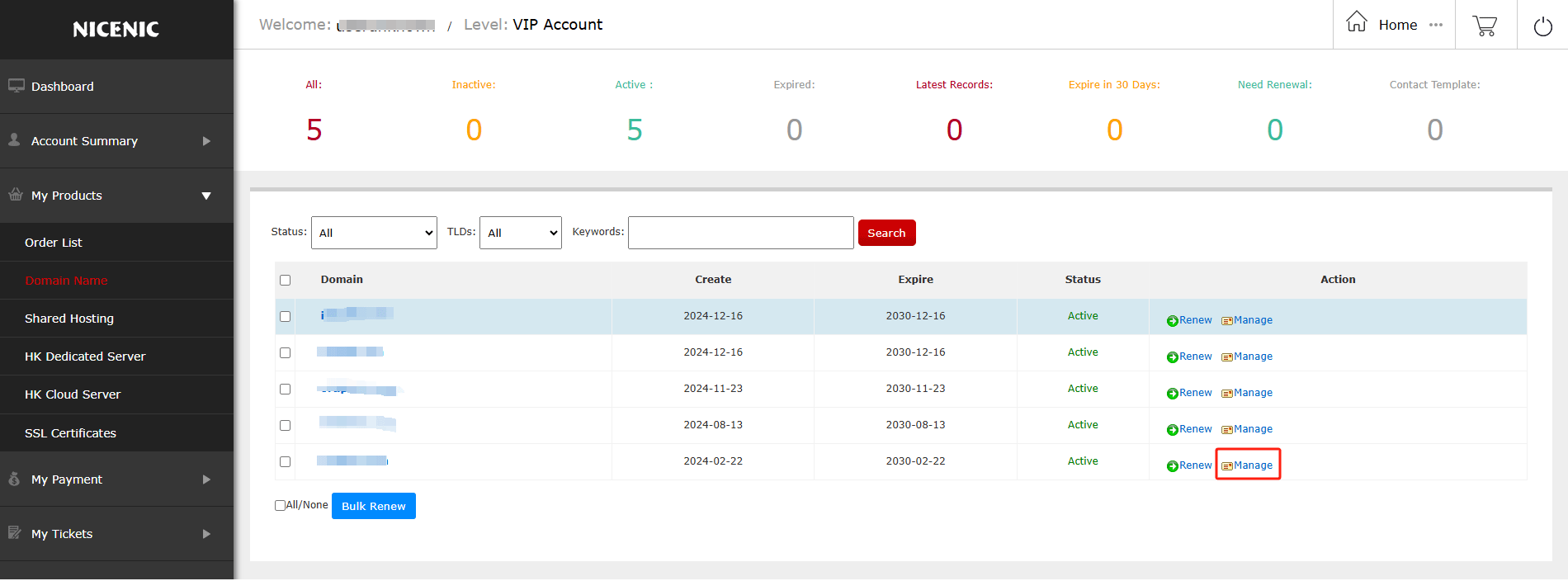
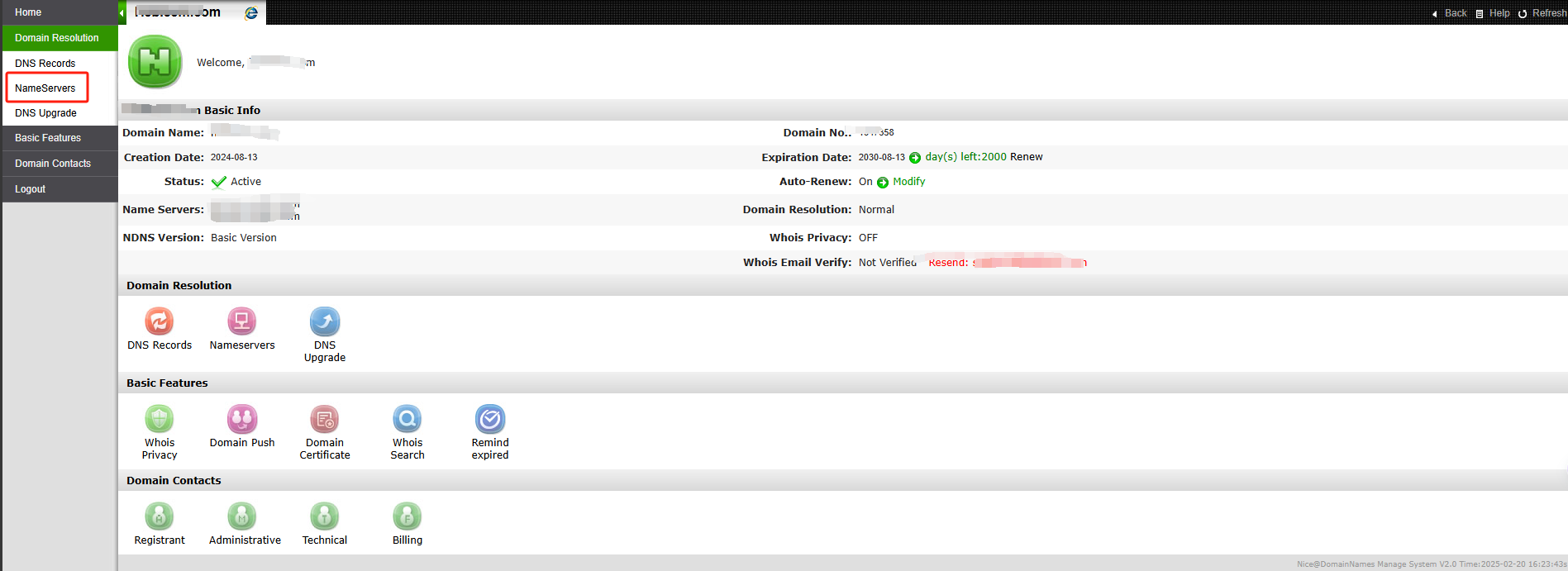
3.Click Dominio Services on the left
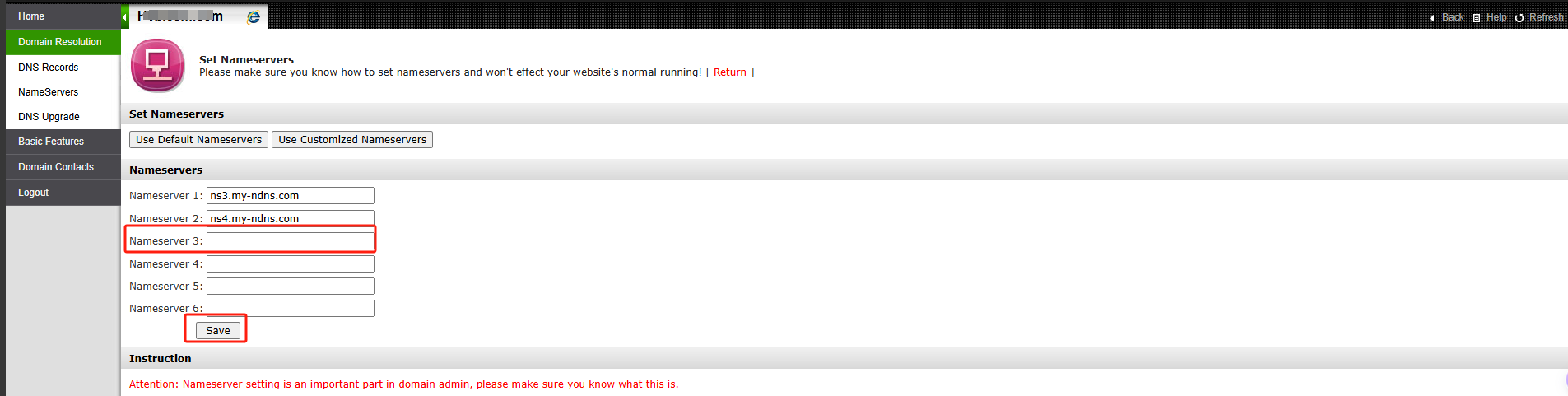
4.Enter tu/tus/su/sus desired name servers y save
Note: Nombreserver Update Failed o Rejected
Si you see "Nombreserver update rejected" o "failed" after update tu/tus/su/sus nameservers , the registry may have rejected the nameservers because tu/tus/su/sus nameservers do not meet registry's technical validation requirements.
This is usually related to DNS configuration issues, such as the nameservers not being properly configured, not responding corectly, o not set up as authoitative.
This is usually related to DNS configuration issues, such as the nameservers not being properly configured, not responding corectly, o not set up as authoitative.
Please contact tu/tus/su/sus DNS/hosting provider to ensure the nameservers are corectly set up y publicly resolvable.
Once they are valid, you may try updating them again.
?Necesitas ayuda? Siempre estamos aquí para ti.
Enviar un Ticket









- Nombres de Dominio
- Registraring Dominios
- Revendedor de Dominio
- Precios de Dominio
- Consulta Whois
- Nuestros Productos
- Servidor Dedicado
- Servidor en la Nube
- Certificados SSL
- Correo Empresarial
- Perfil de la Empresa
- Sobre NiceNIC
- Noticias de Dominio
- Método de Pago
- Acuerdos
- Soporte al Cliente
- Centro de Ayuda
- Enviar un Ticket
- Contáctenos
- Denunciar Abuso
Derechos de Auto ? 2012-2026 NICENIC INTERNATIONAL GROUP CO., LIMITED Parados los Derechos Reservados