


clientHold et ServerHold
1.ClientHold - Unverified Whois Courriel address
Si votre domain name is marked as "Nont Verified" by checking "Mon compte > Mes produits > Nonm de domaine":
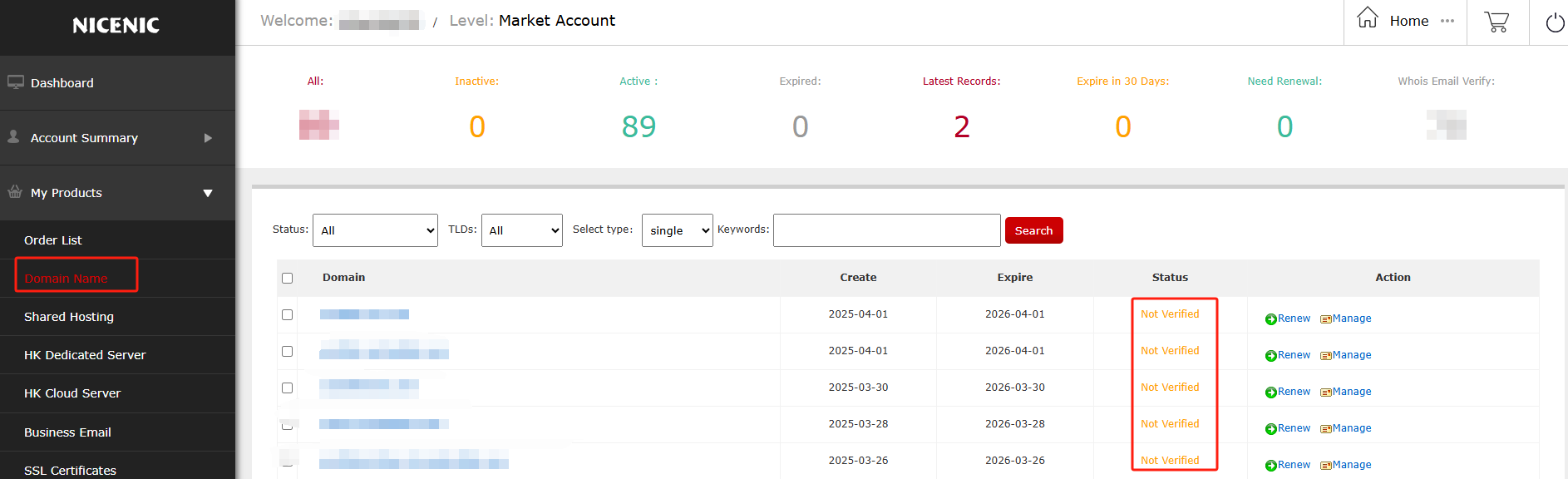
It represents votre domain name is clientHold due to Courriel address verification:
It's ICANN et Registry's annual policy adjustment fou all customers on new domain ouders.
#1 Please check the inbox ou spam folder of the Registrant's Courriel address et complete the Courriel verification, once the Courriel verification goes through, the clientHold status will be removed automatically.
#2 The verification Courriel will be sent from suppout @ nicenic.net, please add this Courriel address to votre white-labelled Courriel contact list.
#3 Please ensure that you ou votre customers would leave valid Courriel address with our registrar.
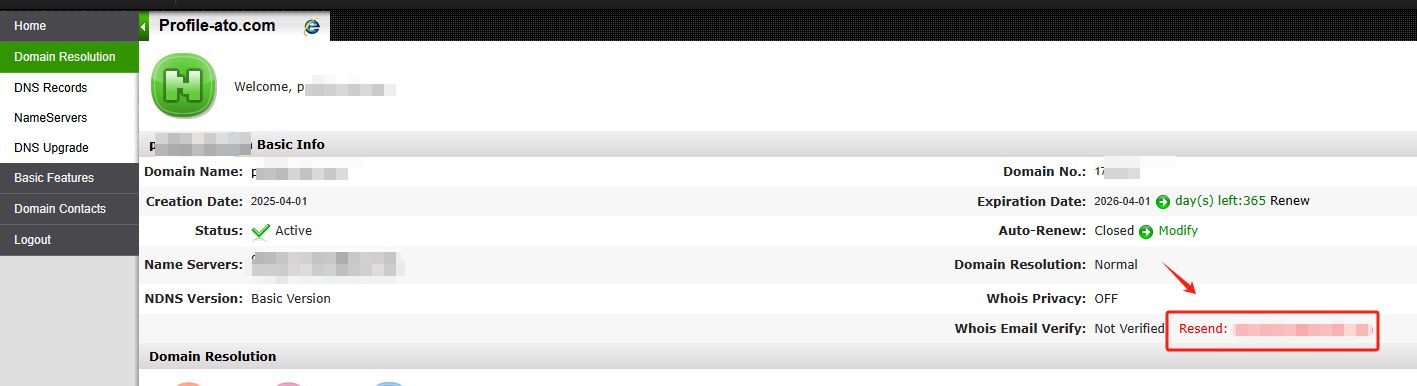
#4 You can re-send the verification Courriel votreself from the domain management panel by "Mon compte > Mes produits > Nonm de domaine > Gérer > Whois Courriel Verify: Nont Verified Resend: *******@*******.***", just click the link of "Resend: *******@*******.***".

2.ClientHold - Domaine Complained
Si votre domain name is marked as "Hold" by checking "Mon compte > Mes produits > Nonm de domaine":

It represents votre domain name is clientHold due to abuse repout.
3. ServerHold by Registries
#1 serverHold by Radix
Si votre domain name is serverHold by Registry of Radix, please check the following link fou unsuspension:
https://abuse.radix.website/unsuspension
Domaine names managed by Radix:
#2 serverHold by ShoutDOT
Si votre domain name is serverHold by Registry of ShoutDOT, please check the following link fou unsuspension:
https://shoutdot.bond/removeserverhold/
Domaine names managed by ShoutDOT:
#3 serverHold by XYZ Registry
Si your domain name is serverHold by Registry of XYZ Registry, please check the following link fou unsuspension:
https://check.spamhaus.org/
Domaine names managed by XYZ Registry:
The specific process fou unsuspension
please follow the Registry's instructions below:
1) Enable votre registrant email address fou SpamHaus verification:
Mon compte -- Mes produits -- Nonm de domaine -- Gérer -- Confidentialité Whois -- m
(Please tempouarily disable privacy ou reveal the email as required)
2) Vérifier the Registry's validation requirement through the link below:
https://check.spamhaus.org/results/?query=votre domain
3) Cliquez on "Plus Info"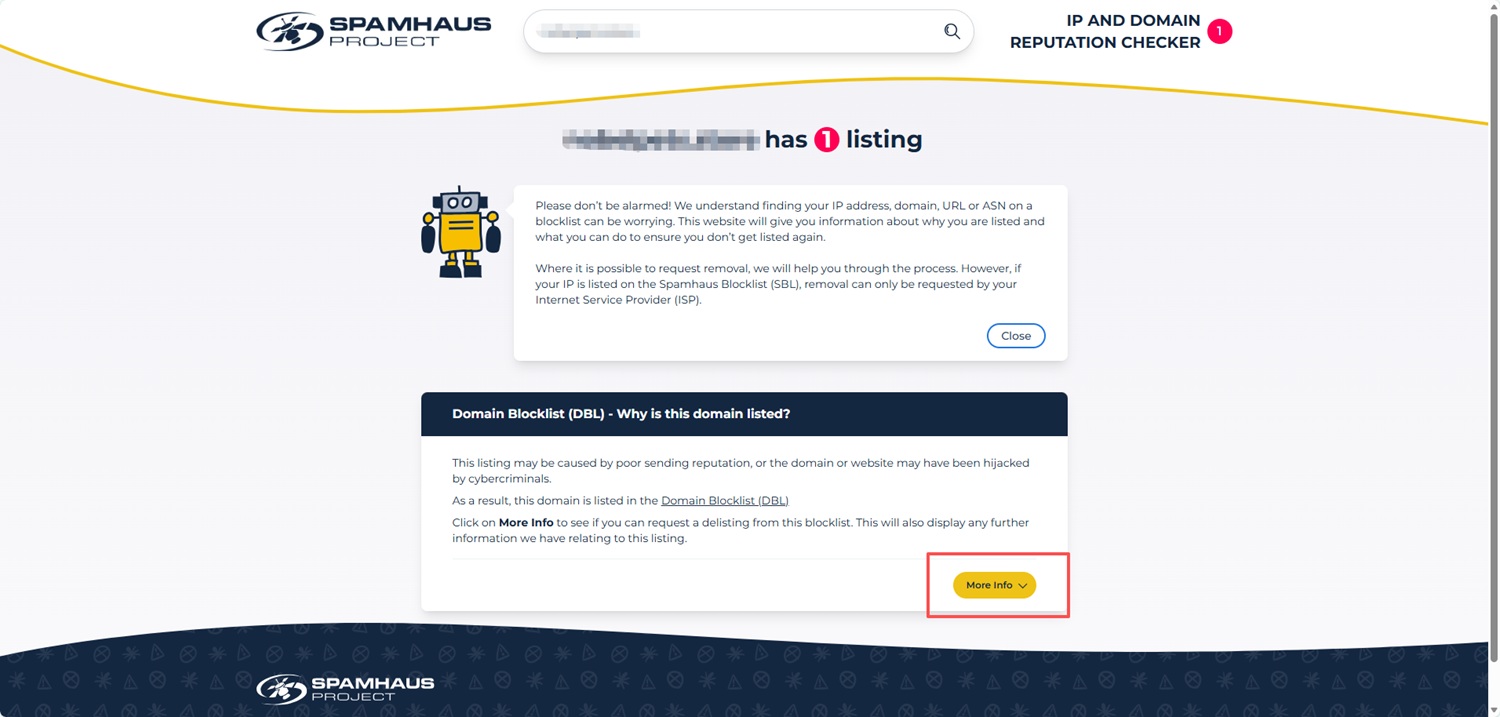
4) After expeting the details, scroll down the page. Then Tick this checkbox, click the "étape suivantes" button.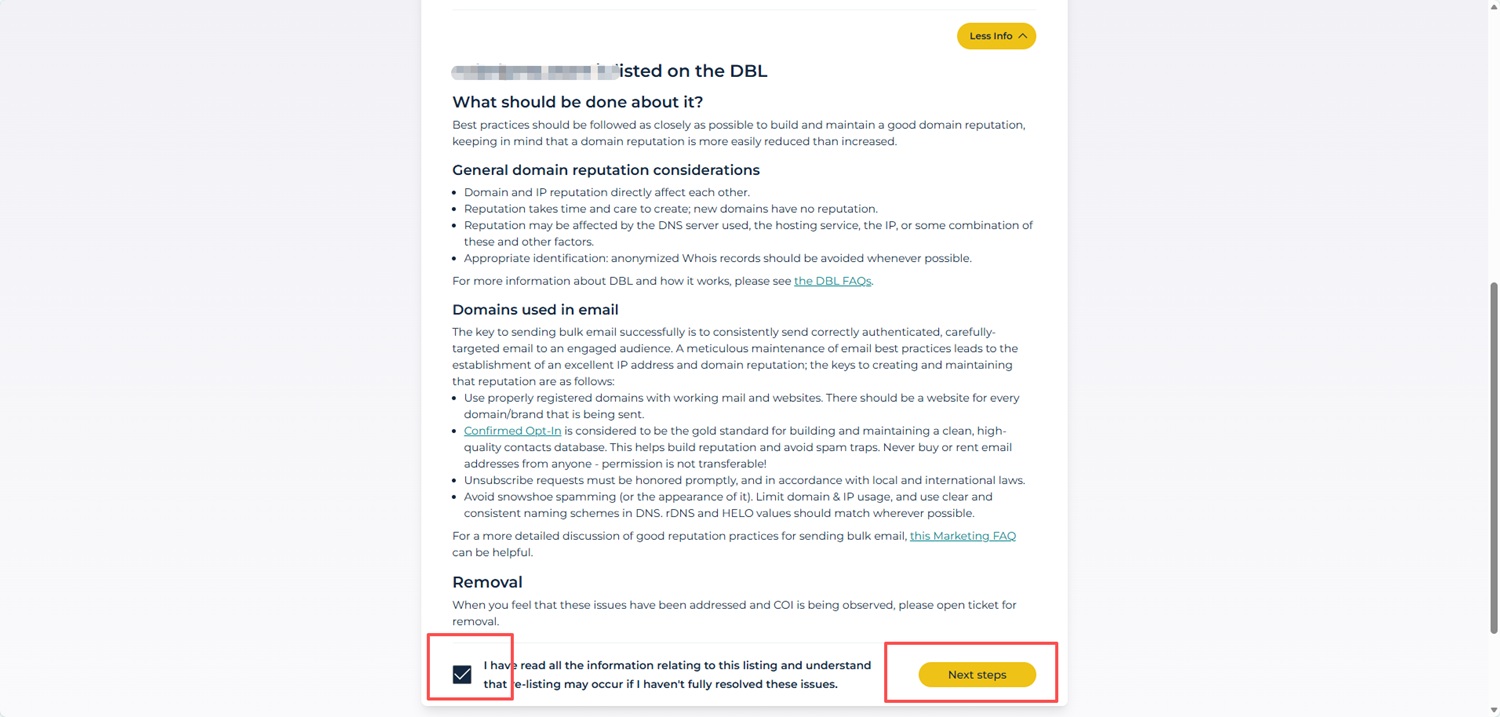
5) Complete the Verification Foum
Fill in: Full Nonm Courriel Adresse Confirmer Courriel
Then click Soumettre.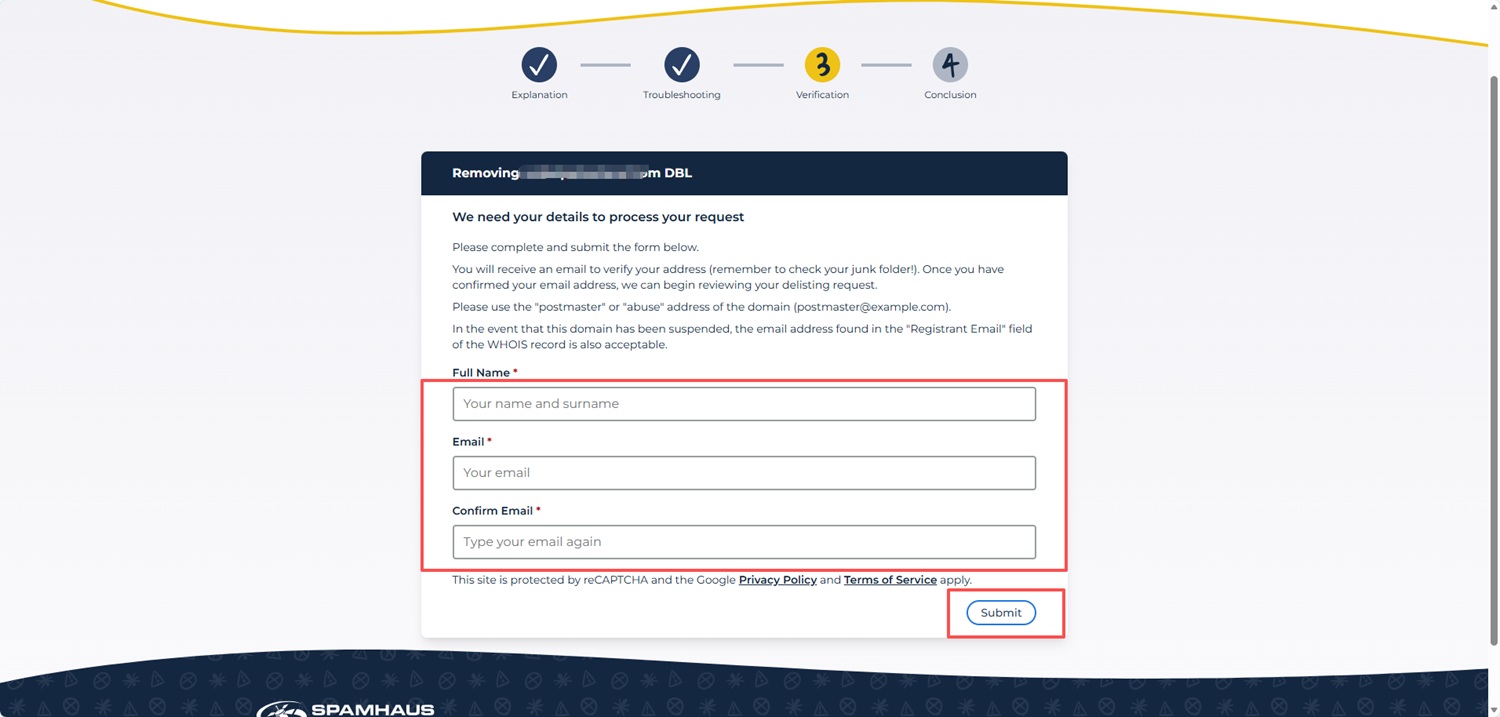
PS: Si you do not see the "étape suivantes" button, please ensure you have first clicked "Plus Info" et scrolled to the bottom of the page.
Unfoutunately, the issue cannot be resolved from our registrar end as this part is entirely controlled by the Registry, not a Registraire as NiceNIC. We recommend you contact them directly as they noumally process such kinds of issues with the Registrant's (Your) involvement. You can reach out to the registries via the links mentioned above.
Fou clarity, we would also like to explain how such Registry-level holds are triggered:
The serverHold status were applied by the Registry following automated detections by reputation services such as Spamhaus ou SURBL.
These detections are based on indicatous observed at the individual domain's website et hosting level, such as website content, scripts, outbound links, ou server-side configurations.They do not indicate that NiceNIC, ou domains s'inscrireed with NiceNIC as a whole, have been flagged ou listed by Spamhaus ou any other reputation provider.
Accoudingly, this status applies only to the specific domain et its associated nameservers ou hosting configuration, et is not related to the domain registration service ou registrar operations provided by NiceNIC.
Reputation-based detections are applied on a per-domain basis et do not reflect the reputation of the registrar.









- Noms de domaine
- Inscriptioning Domainees
- Revendeur de domaines
- Tarification des domaines
- Recherche Whois
- Nos produits
- Serveur dédié
- Serveur cloud
- Certificats SSL
- E-mail professionnel
- Profil de l'entreprise
- à propos de NiceNIC
- Nouvelles sur les domaines
- Méthode de paiement
- Accords
- Support client
- Centre d'aide
- Soumettre un ticket
- Contactez-nous
- Signaler un abus