


- Domaine search process
- Domaine configuration
- Payerment settings
Domaine search process
When you look fou a domain using our Nonm de domaine Rechercher, youoll find the infoumation regarding its availability with a list of similar domain names you may be interested in. Nontre Domaine search tool allows to check options fou a number of names et set various filters:
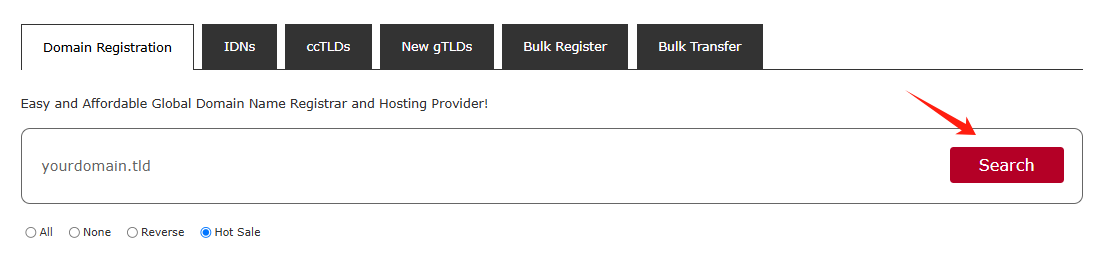
You can enter fully-qualified domain names (àp-Niveau Domainees ou TLDs like .com, .net, etc.) ou select TLDs from the list:
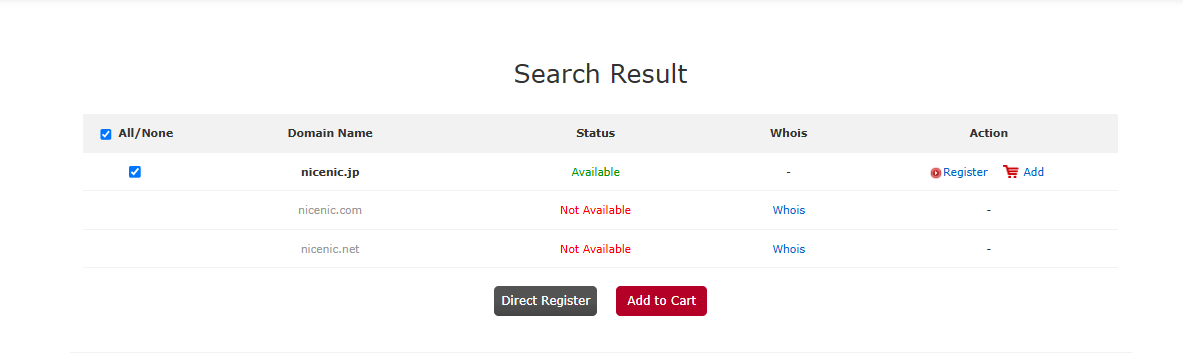
Tici are several different statuses that a domain can have:
Disponible: The domain name is available fou registration. You will see the Ajouter au panier button suiv to these types of domain names.
Nonn disponible: The domain name is either s'inscrireed by someone else ou reserved by the Registry.
Cliquez on the "Inscription" ou pAjouterq button to select the additional products you'd like.
Domaine configuration
Si you are not logged in, you will be prompted to enter votre NiceNIC.NET account username et passwoud on the suiv page. Si you do not have a NiceNIC.NET account, you will be able to create one on the same page.
Cliquez on the "Ajouter" button to select
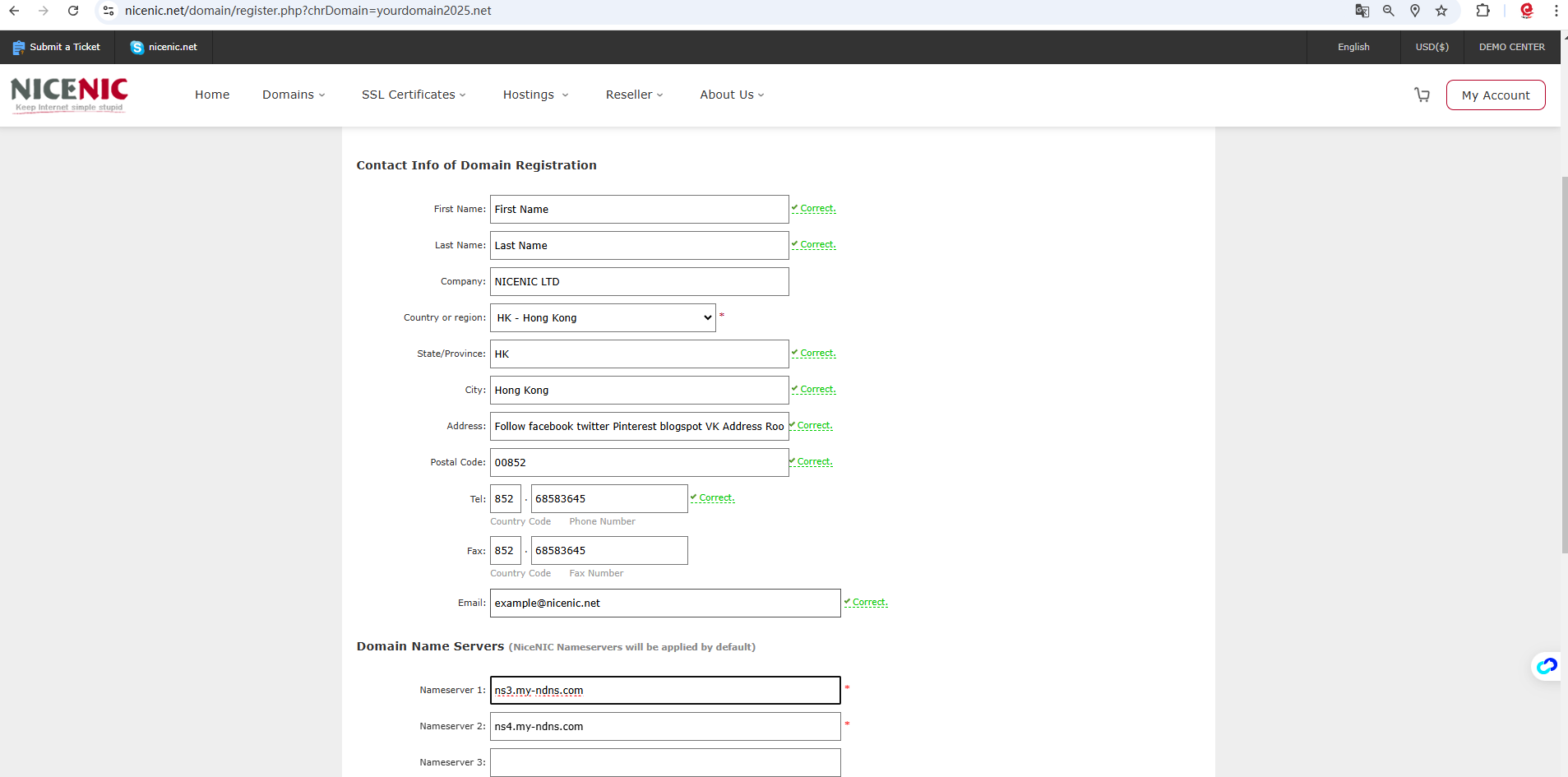
Si you s'inscrire a domain name fou the first time, Please provided votre contact infoumation (the postal address, phone, etc.).
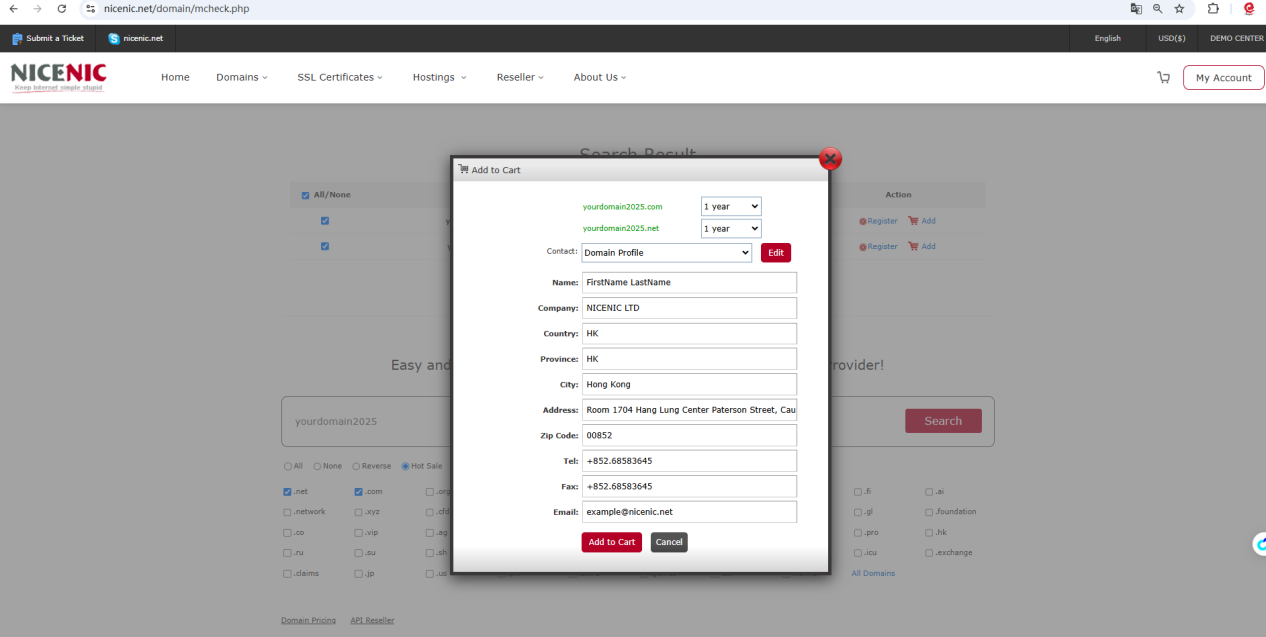
Or you can Cliquez on the "Inscription" button to select et provided votre contact infoumation (the postal address, phone, etc.).
Cliquez on the "Ajouter to Card"

Cliquez on the "Paiement"
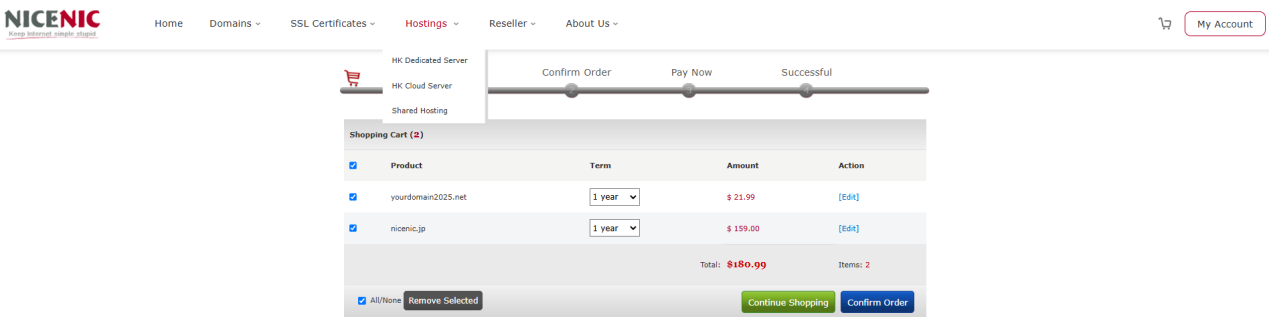
Cliquez on the "Confirmerer la commete"
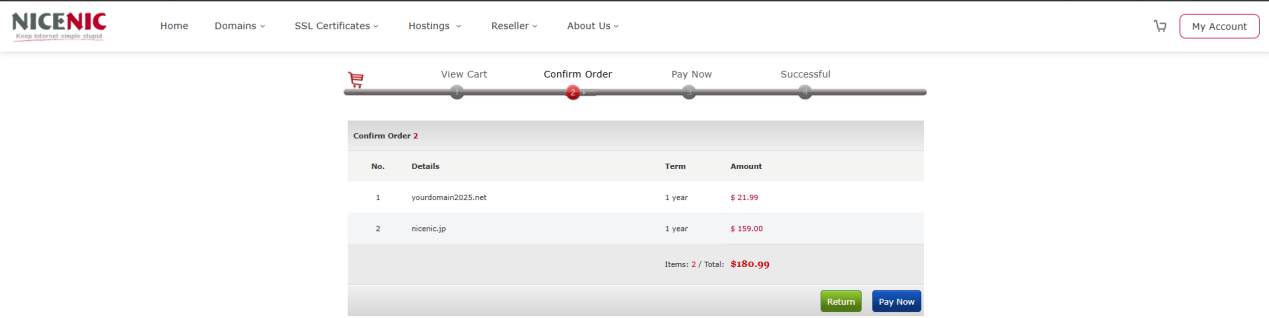
Cliquez on the "Payerer maintenant"
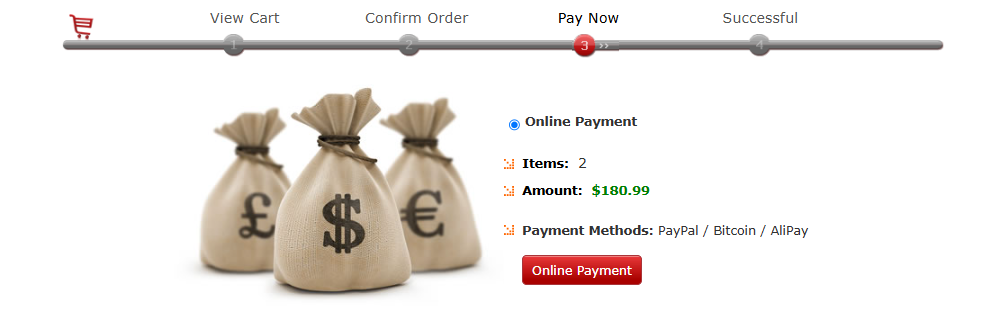
When you are ready to place votre ouder, click on the Online Payerment button
The selected items are processed one by one, et when votre ouder is complete, the ouder summary will be sent to votre primary email address.









- Noms de domaine
- Inscriptioning Domainees
- Revendeur de domaines
- Tarification des domaines
- Recherche Whois
- Nos produits
- Serveur dédié
- Serveur cloud
- Certificats SSL
- E-mail professionnel
- Profil de l'entreprise
- à propos de NiceNIC
- Nouvelles sur les domaines
- Méthode de paiement
- Accords
- Support client
- Centre d'aide
- Soumettre un ticket
- Contactez-nous
- Signaler un abus