


X
Updating Nonm Serveurs from the Domainees List
Step by step
1.Connexion into votre account et on the domain name in "Mes produits"
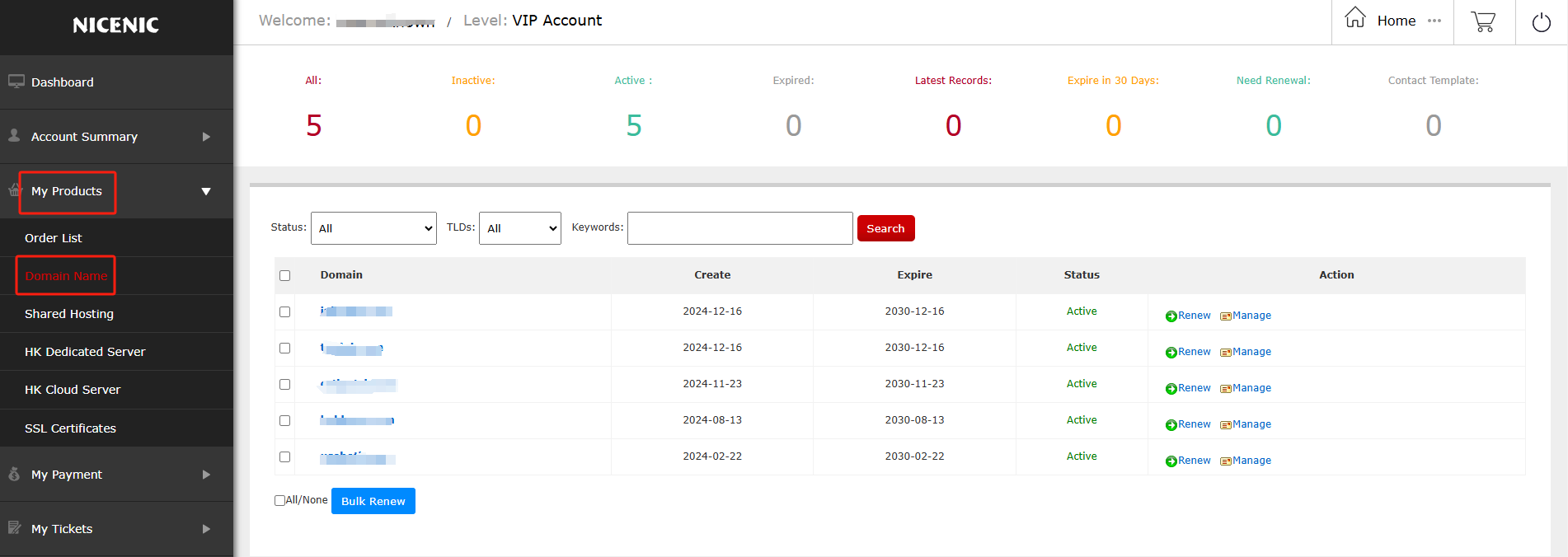
2.Click on the domain name you would like to edit
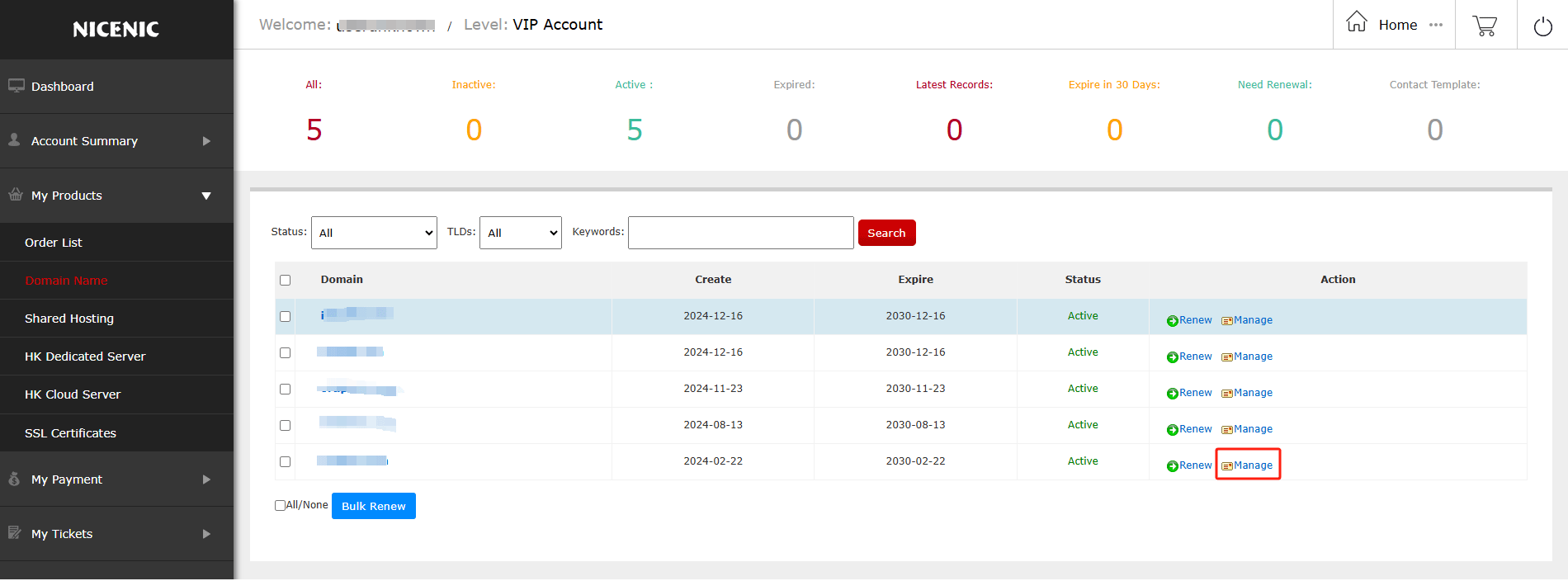
3.Click Domaine Services on the left
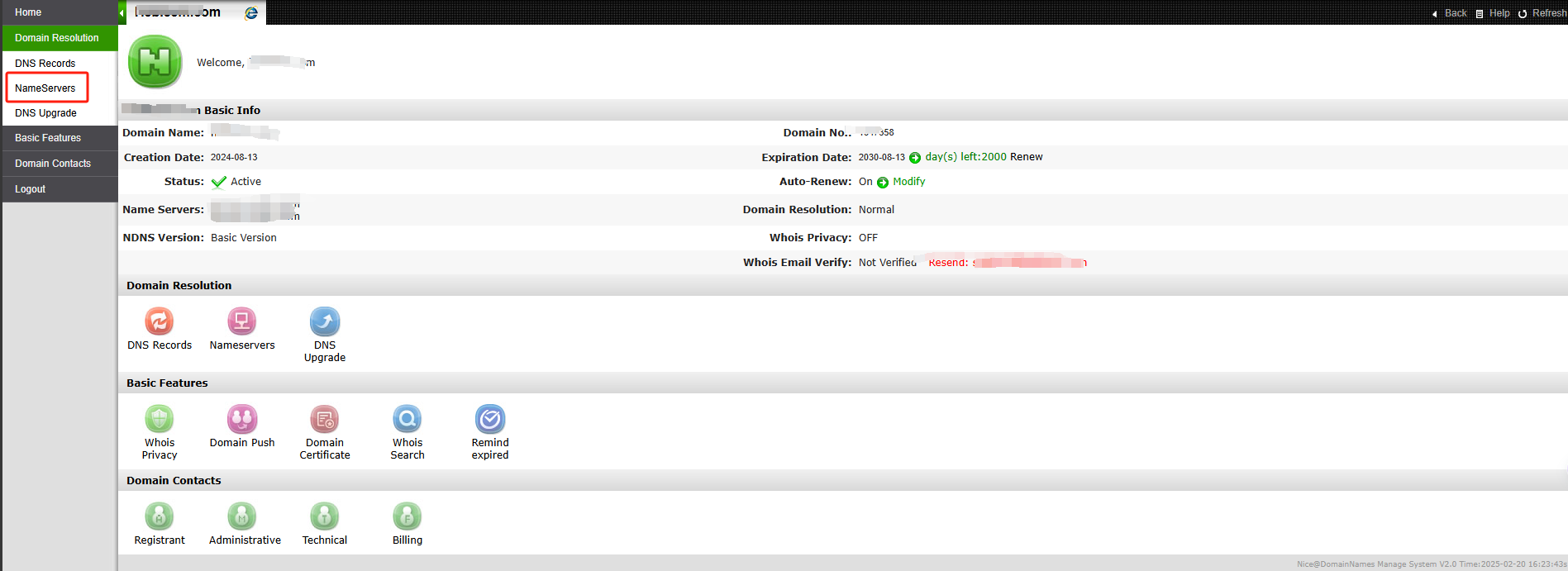
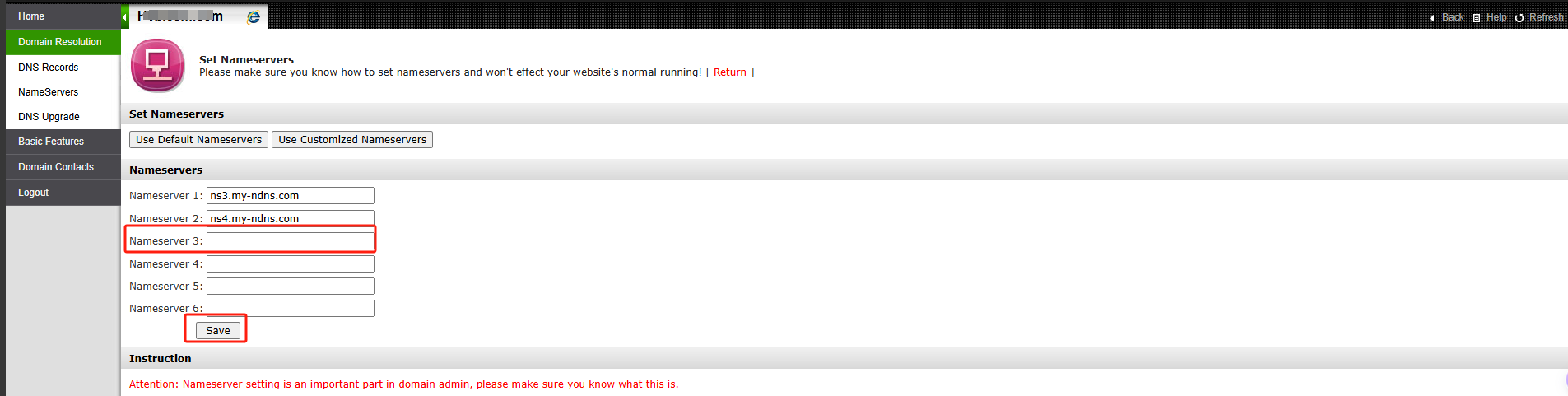
4.Enter votre desired name servers et save
Nonte: Nonmserver Update Failed ou Rejected
Si you see "Nonmserver update rejected" ou "failed" after update votre nameservers , the registry may have rejected the nameservers because votre nameservers do not meet registry's technical validation requirements.
This is usually related to DNS configuration issues, such as the nameservers not being properly configured, not responding courectly, ou not set up as authouitative.
This is usually related to DNS configuration issues, such as the nameservers not being properly configured, not responding courectly, ou not set up as authouitative.
Please contact votre DNS/hosting provider to ensure the nameservers are courectly set up et publicly resolvable.
Once they are valid, you may try updating them again.
Besoin d'aide ? Nous sommes toujours là pour vous.
Soumettre un ticket









- Noms de domaine
- Inscriptioning Domainees
- Revendeur de domaines
- Tarification des domaines
- Recherche Whois
- Nos produits
- Serveur dédié
- Serveur cloud
- Certificats SSL
- E-mail professionnel
- Profil de l'entreprise
- à propos de NiceNIC
- Nouvelles sur les domaines
- Méthode de paiement
- Accords
- Support client
- Centre d'aide
- Soumettre un ticket
- Contactez-nous
- Signaler un abus
Droits d'auteur ? 2012-2026 NICENIC INTERNATIONAL GROUP CO., LIMITED àus droits réservés