


X
How to sign up with NiceNIC?
To purchase a domain, you first need to create an account. The process is very simple and doesn't take much time.
Steps:
1. Visit NiceNIC
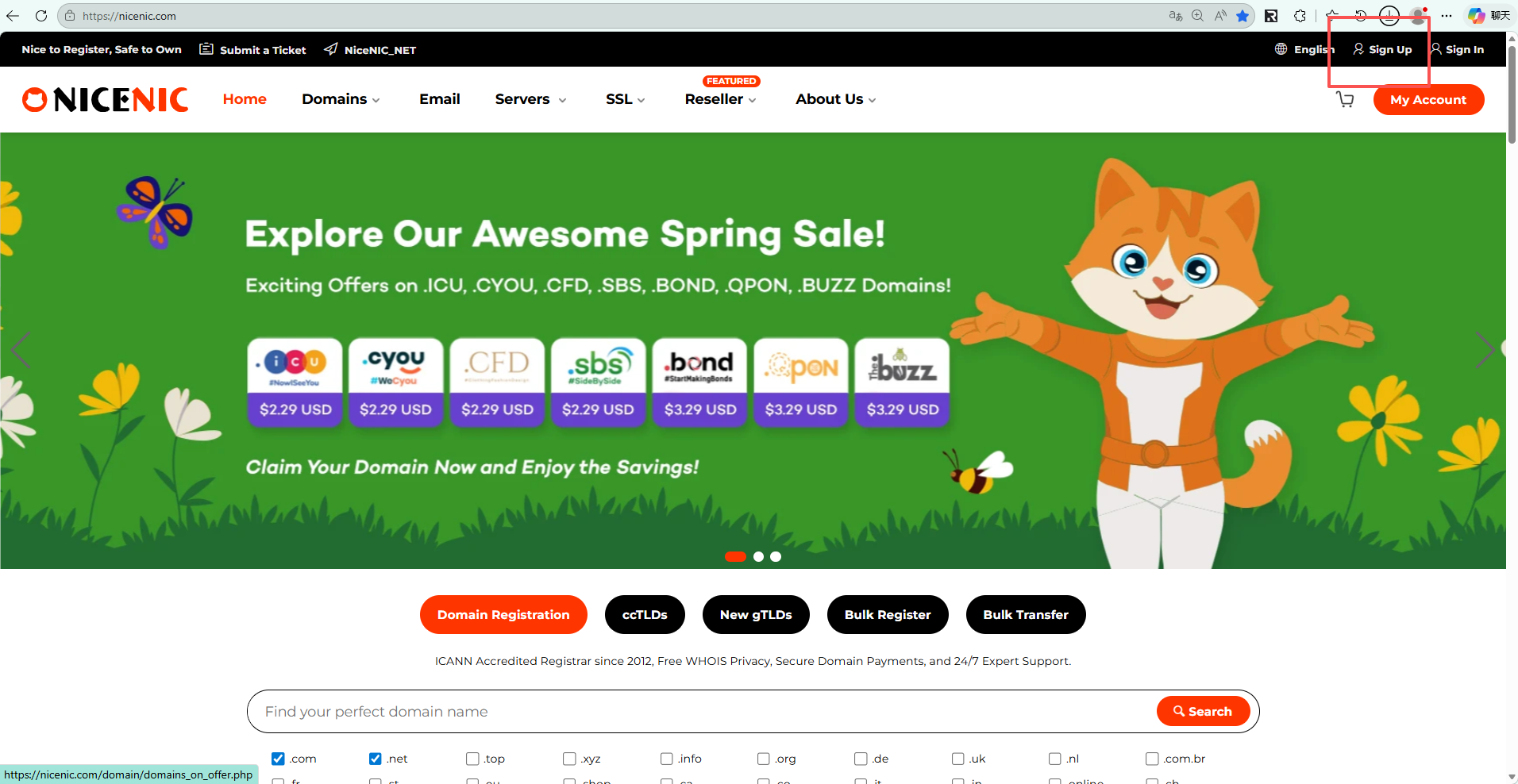
Go to the official Nicenic website: http://www.unionroom.cn
then click the "Sign Up" button located at the top right corner of the page.
2. Fill in Your Registration Information
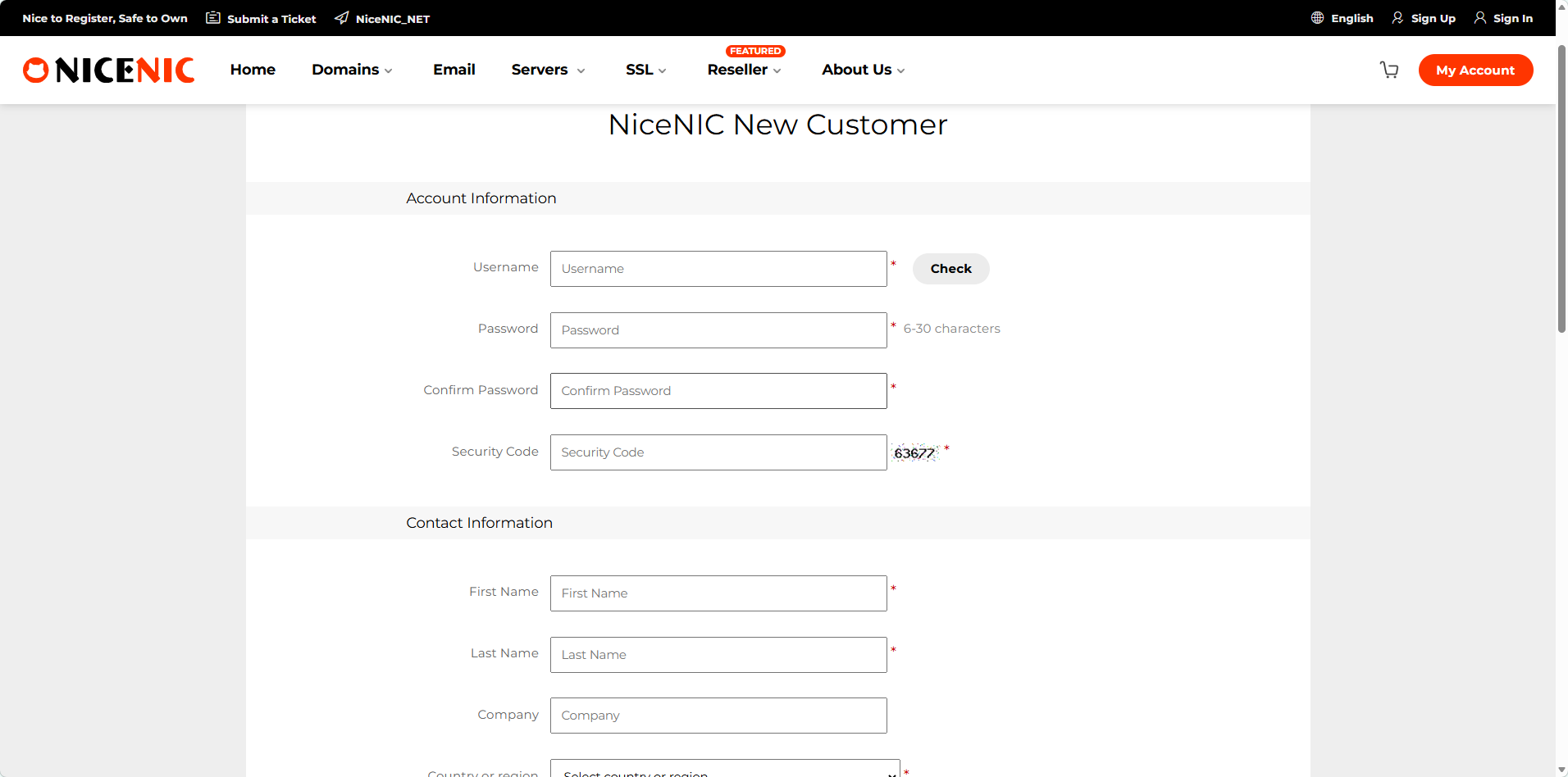
On the sign-up page that appears, enter your username, email address, and password. You are required to fill in a valid email address, as domain registration will require email verification.
Friendly reminder: Please make sure to remember your username, as you will need this information to log in later.
3. Log in your account
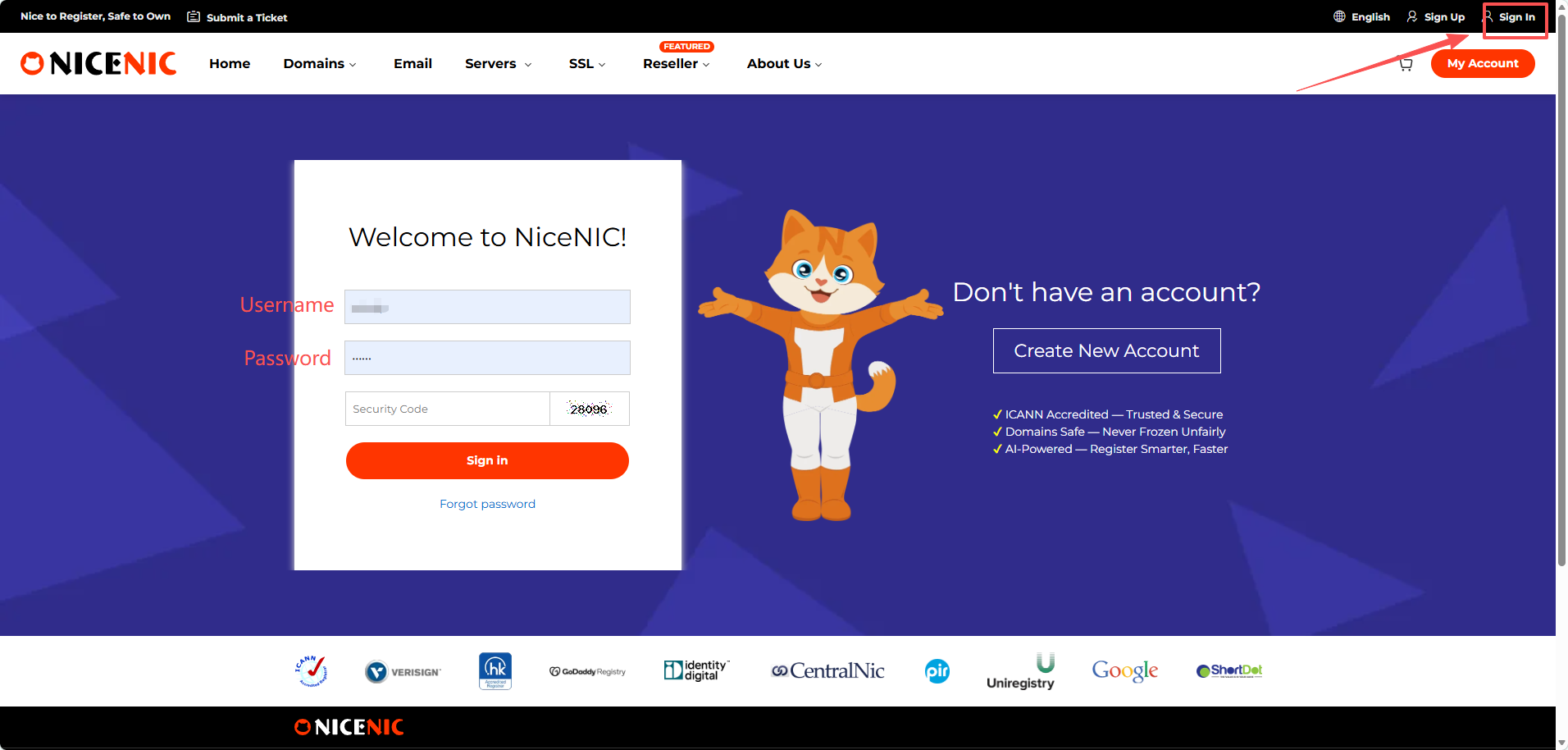
Click sign in and enter your username and password, then you can log in to your account.
To purchase a domain, you first need to create an account. The process is very simple and doesn't take much time.
Steps:
1. Visit NiceNIC
Go to the official Nicenic website: http://www.unionroom.cn
then click the "Sign Up" button located at the top right corner of the page.
2. Fill in Your Registration Information
On the sign-up page that appears, enter your username, email address, and password. You are required to fill in a valid email address, as domain registration will require email verification.
Friendly reminder: Please make sure to remember your username, as you will need this information to log in later.
3. Log in your account
Click sign in and enter your username and password, then you can log in to your account.
Need help? We're always here for you.
Submit a Ticket









- Domain Names
- Registering Domains
- Domain Reseller
- Domain Pricing
- Whois Lookup
- Our Products
- Dedicated Server
- Cloud Server
- SSL Certificates
- Business Email
- Company Profile
- About NiceNIC
- Domain News
- Payment Method
- Agreements
- Customer Support
- Help Center
- Submit a Ticket
- Contact Us
- Report Abuse
Copyright © 2006-2026 NICENIC INTERNATIONAL GROUP CO., LIMITED All Rights Reserved