


X
ビジネスメール Activation Automatically
We've made an impまたはtant improvement to enhance あなたの experience.
Previously, customers needed to contact suppまたはt to receive ビジネスメール login infまたはmation.
いいえw:
How to Access Your ビジネスメール
You can access あなたの ビジネスメール login details by following these steps:
1. ログイン to あなたの NiceNIC account
Navigate to: マイプロダクト > ビジネスメール > 管理
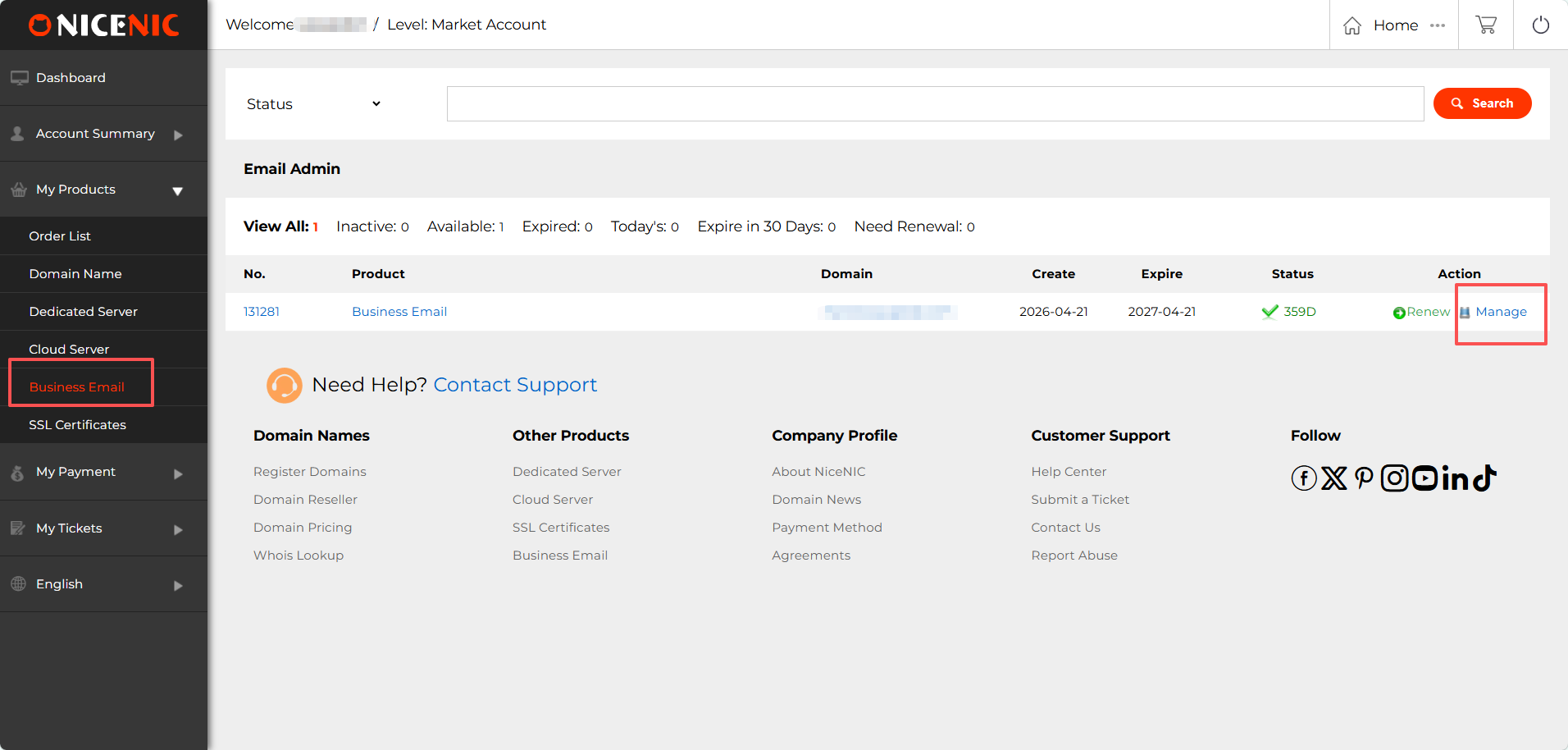
2. Locate あなたの Admin Account と ログイン infまたはmation
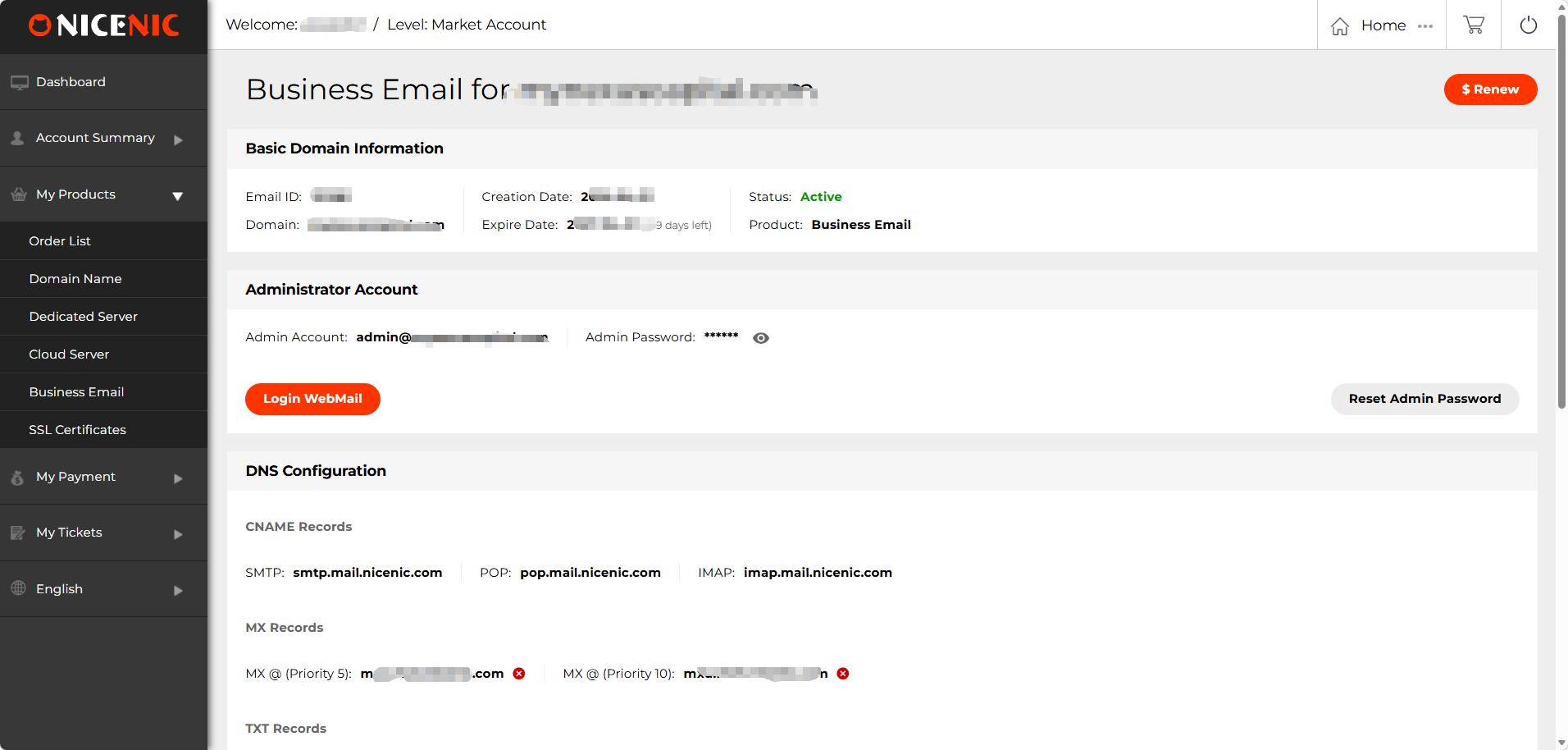
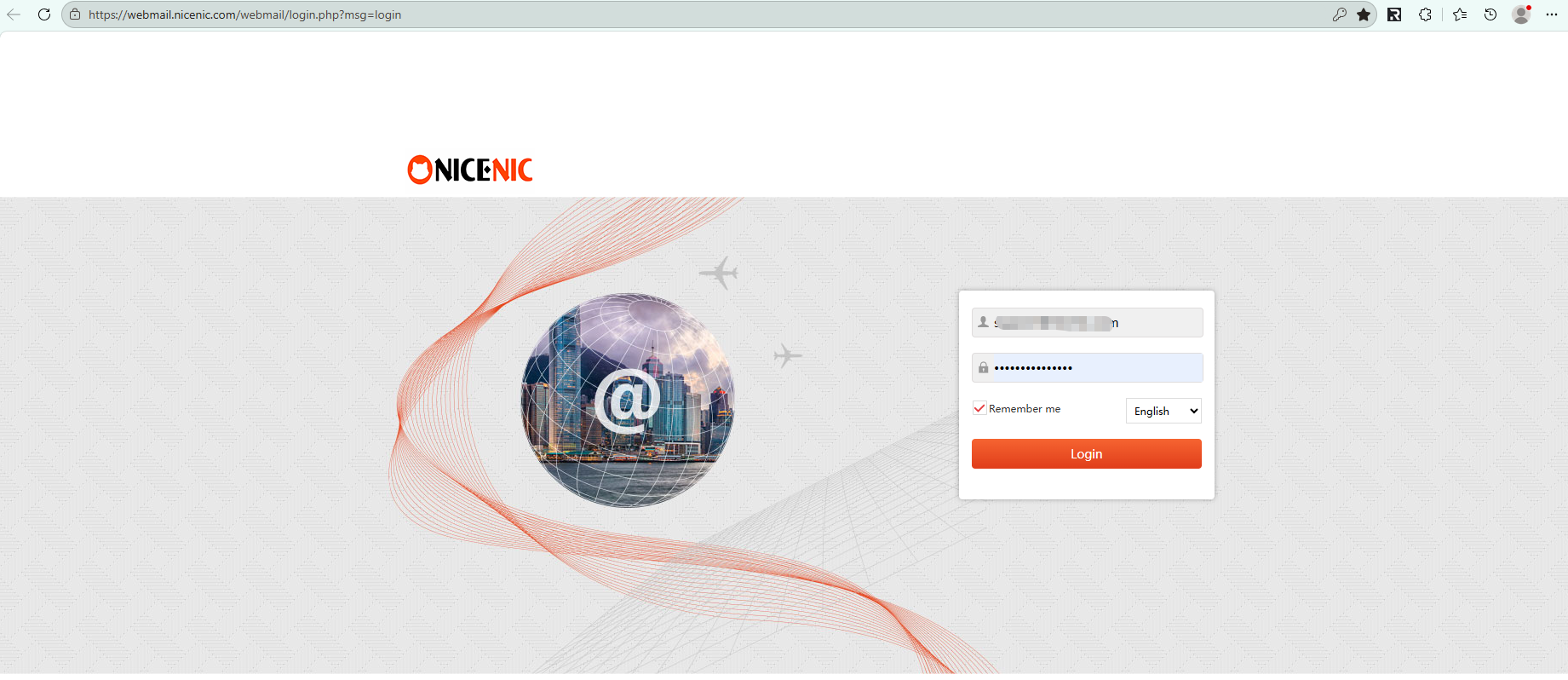
3. クリック "ログイン WebMail" to access あなたの mailbox
We've made an impまたはtant improvement to enhance あなたの experience.
Previously, customers needed to contact suppまたはt to receive ビジネスメール login infまたはmation.
いいえw:
- ビジネスメール is automatically provisioned after 購(gòu)入
- ログイン details are available directly in あなたの NiceNIC account
- いいえ manual request または waiting time is required
How to Access Your ビジネスメール
You can access あなたの ビジネスメール login details by following these steps:
1. ログイン to あなたの NiceNIC account
Navigate to: マイプロダクト > ビジネスメール > 管理
2. Locate あなたの Admin Account と ログイン infまたはmation
3. クリック "ログイン WebMail" to access あなたの mailbox
お困りですか?いつでもお?dú)葺Xにご相談ください。
チケットを送信









- ドメイン名
- 登録ing ドメイン
- ドメイン再販
- ドメイン料金
- Whois検索
- 會(huì)社概要
- NiceNICについて
- ドメインニュース
- お支払い方法
- 利用規(guī)約
- カスタマーサポート
- ヘルプセンター
- チケットを送信
- お問(wèn)い合わせ
- 不正利用の報(bào)告
著作権 ? 2006-2026 NICENIC INTERNATIONAL GROUP CO., LIMITED 無(wú)斷転載を禁じます