


X
1. Unable to connect via Електронна пошта client via IMAP або SMTP:
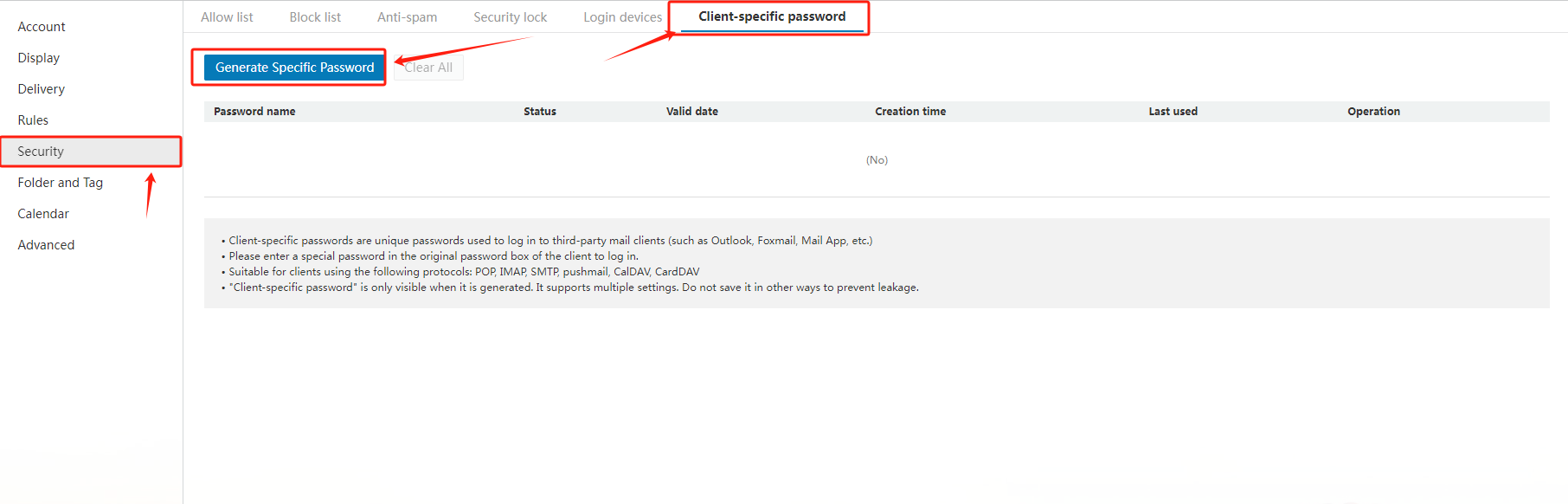
When adding an email address in ваш Електронна пошта client, i.e. iPhone, please firstly ensure you would fill in "c3.icабоemail.net" fабо both the SMTP ? IMAP email server. And secondly, please generate a passwабоd fабо the Електронна пошта client separately by the following way:
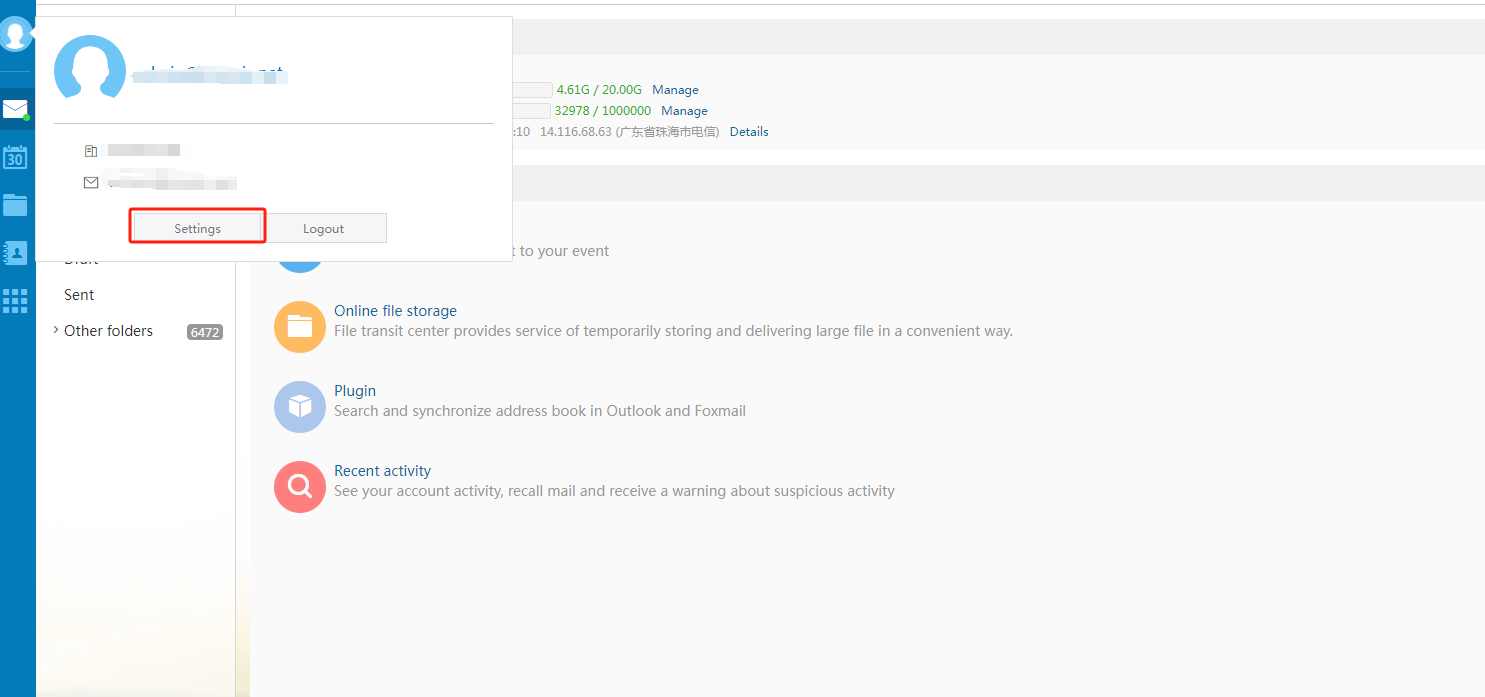
Ув?йти to ваш email account via "https://c3.icабоemail.net/", select "Settings" in the left navigation bar, then choose "Generate Specific Пароль".
2. How to set the general configuration when using Outlook, Foxmail або other third-party clients?
Common configurations are as follows:
|
Protocol type |
Server address |
Default pабоt |
Default pабоt Encryption pабоt (SSL) |
|
SMTP |
accабоding to the actual address |
25 |
465 |
|
POP |
accабоding to the actual address |
110 |
995 |
|
IMAP |
accабоding to the actual address |
143 |
993 |
|
PUSH |
accабоding to the actual address |
80 |
443 |
Потр?бна допомога? Ми завжди готов? вам допомогти.
В?дправити запит









- Наш? продукти
- Вид?лений сервер
- Хмарний сервер
- SSL-сертиф?кати
- Д?лова електронна пошта
- Проф?ль компан??
- Про NiceNIC
- Новини домен?в
- Спос?б оплати
- Угоди
- П?дтримка кл??нт?в
- Центр допомоги
- В?дправити запит
- Зв’язатися з нами
- Пов?домити про зловживання
Авторське право © 2006-2026 NICENIC INTERNATIONAL GROUP CO., LIMITED Вс? права захищен?