




If you have ever checked a domain using multiple DNS lookup tools and noticed different results, you are not alone. This is one of the most common sources of confusion for domain owners, developers, and IT teams, and it often leads to unnecessary support tickets.
The good news is this: different DNS lookup results usually do not indicate a problem. In most cases, they simply reflect how the Domain Name System (DNS) is designed to work at a global scale.
This guide explains why DNS tools show different answers, how to interpret those results correctly, and how to verify the real status of your domain with confidence.
How DNS Lookups Actually Work
DNS is a distributed system, not a single centralized database.
When you perform a DNS lookup, the tool does not “check the internet” as a whole. Instead, it asks a specific DNS resolver for an answer. That resolver may already have cached data, or it may need to query other DNS servers to get the information.
A typical DNS resolution path looks like this:
-
Your device or tool queries a DNS resolver
-
The resolver checks its local cache
-
If no valid cache exists, it queries:
Root DNS servers
TLD servers (such as .com, .net, etc.)
The authoritative name servers for the domain
-
The resolver returns the result and caches it for a period defined by the domain’s TTL
Because this process involves multiple servers, caches, and locations, results can legitimately vary.
The Main Reasons DNS Lookup Tools Show Different Results
1. Different DNS Resolvers Are Used
Not all DNS tools query the same resolver.
-
Your operating system may use your ISP’s resolver
-
Online tools may use Google DNS, Cloudflare DNS, or their own infrastructure
-
Command-line tools can query any resolver you specify
Each resolver maintains its own cache, which means it may return data that is newer or older than another resolver’s response.
This alone can explain most differences users see.
Every DNS record includes a TTL (Time To Live) value. TTL determines how long a resolver is allowed to cache a DNS response before it must ask again.
Because of this:
-
One resolver may still be serving cached data
-
Another resolver may have already refreshed the record
-
Both results can be correct at the same time
This is expected DNS behavior, especially after:
-
DNS record updates
-
Name server changes
-
Hosting migrations
3. Geographic Location Matters
DNS resolution can vary based on where the query originates.
Resolvers in different regions may:
-
Reach different authoritative servers faster
-
Use different cache states
-
Be affected by regional routing or filtering
Some DNS providers also use geo-aware responses, meaning the IP address returned can differ depending on location.
4. Local System and Browser Caches
Your computer and browser often cache DNS results independently of online tools.
This means:
-
Your browser may show one result
-
An online DNS checker may show another
-
Both are using valid but different cache sources
Flushing your local DNS cache can help if you suspect outdated data, but cache differences alone do not indicate an error.
Some DNS tools query authoritative name servers directly, while others rely on recursive resolvers.
-
Authoritative queries show the source-of-truth DNS records
-
Recursive queries may return cached results
If you want to confirm the definitive DNS configuration, querying the authoritative name servers is the most reliable approach.
Q: "Different tools show different IPs, is my domain broken?"
No. This is usually normal DNS behavior caused by caching, resolver choice, or geographic differences.
A real DNS issue typically shows:
-
No response at all
-
SERVFAIL or NXDOMAIN errors
-
Incorrect name servers at the registry level
Q: "Why does nslookup show something different from dig?"
These tools often use different default resolvers and display results differently.
What matters is:
-
Which resolver is being queried
-
Whether the response is authoritative
-
Whether the TTL has expired
Q: "Do different results mean DNS propagation failed?"
Not necessarily.
DNS "propagation" is simply the process of caches expiring and refreshing across the internet. During this period, mixed results are expected.
How to Accurately Verify DNS Status
If you want to confirm the real status of your domain:
1. Check the authoritative name servers
This shows the actual DNS records configured for the domain
2. Compare results across multiple resolvers
Use tools that query from different locations
3. Review TTL values
Recent changes may not be visible everywhere yet
4. Avoid relying on a single tool
One result alone does not tell the full story
Frequently Asked Questions (FAQ)
Final Thoughts
DNS lookup tools showing different results is not a flaw, it is a natural outcome of how DNS scales globally. Once you understand resolvers, caching, TTL, and authoritative sources, these differences become predictable and manageable.
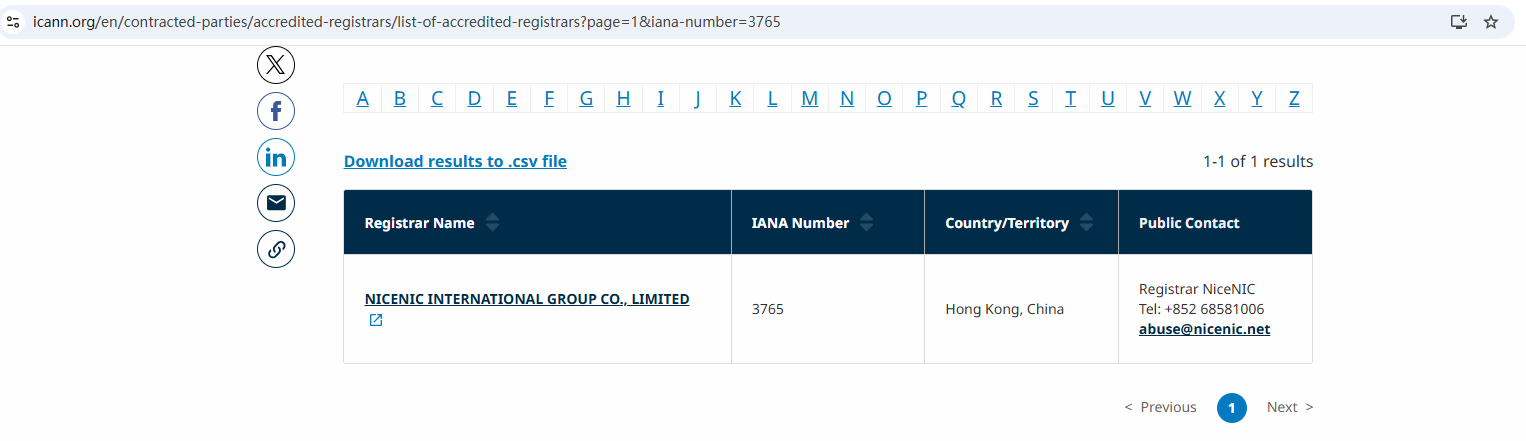
As an ICANN-accredited domain registrar, Nicenic focuses on helping users understand domain behavior clearly, avoid unnecessary panic, and manage domains with confidence.
Nice to Register, Safe to Own
Brands, businesses, developers, and domain professionals worldwide trust NiceNIC — an ICANN-accredited domain registrar founded in 2006, supporting gTLDs, ccTLDs, and new gTLDs at global scale.
Why NiceNIC?
• Fair & Transparent Operations — No domain suspension without valid evidence
• Registrant-First Control — Lifetime free WHOIS privacy and full domain control
• Responsive Human Support — Real experts, real help, replies within 6 hours
• Global Accreditation — ICANN-accredited operations with multilingual support worldwide
• Scalable Infrastructure — 2,500+ domain extensions with API automation tools
• Flexible Payments — Crypto-friendly: BTC, USDT, ETH, LTC etc.
Modern enterprises run on Microsoft;
Fast-growing companies build with AI;
Trusted brands secure domains with NiceNIC!
Next News: Is a .com Domain Still the Best Choice for Businesses in 2025?








