



When managing multiple domains, you may come across the term "URL forwarding" or "domain forwarding." It is is a service that lets you redirect visitors from one domain name to another. When someone enters a specific domain name into their web browser, URL forwarding automatically sends them to a different website or webpage.
If you’re not familiar with this concept, you may wonder how it works and whether it’s beneficial for your domain strategy. In this article, we’ll break down what URL forwarding is, how it works, and why it’s a game changer for your domain strategy.
What is URL Forwarding?
Also called redirecting, pointing, or connecting, URL forwarding lets you automatically direct website visitors who type a specific URL into their address bar to a domain you assign. When a user types in a domain name, they are automatically redirected to a different website or URL.
How URL Forwarding Works
-
When a domain is set to forward, the domain server automatically redirects the request to a specified target URL.
-
This can be done through DNS settings or HTTP redirect methods.
-
It’s commonly used to direct users from one website to another without having to update their bookmarks or manually input new URLs.
Common Types of URL Forwarding:
1. 301 Permanent Redirect: This is the most common type used for SEO purposes, ensuring that both search engines and users are redirected to the correct website permanently.
2. 302 Temporary Redirect: Used for short-term campaigns or testing when you want to redirect traffic temporarily.
3. URL Masking: This shows the destination website while keeping the original domain in the address bar (often used for branding purposes but may affect SEO).
Why URL Forwarding Matters for Your Domain Strategy
1. Streamlining Multiple Domains into One
If you own multiple domains, URL forwarding allows you to consolidate them into a single, main website. For example, you might have multiple top-level domains (TLDs) like .com, .net, or .org. Instead of managing each domain individually, you can forward all of them to a single, primary site.
2. Correcting User Mistakes and Ensuring Consistency
Sometimes, users may mistakenly type in the wrong domain name or misspell it. URL forwarding ensures that even if a user enters the wrong domain, they will be redirected to the correct website without error.
3. Enhancing Your SEO and Brand Strategy
URL forwarding isn’t just about redirecting users; it can also play a crucial role in your SEO strategy. By using a permanent 301 redirect, you can pass the link equity from the redirected domain to your main domain. This ensures that any SEO value from the forwarded domain is transferred to the target site.
4. Running Targeted Marketing Campaigns
URL forwarding is also great for marketing campaigns. If you want to use custom domains for promotional events, you can set up URL forwarding to point to your landing page or special offer without the need to change your entire website.
How to Set Up URL Forwarding: A Step-by-Step Guide
Setting up URL forwarding is a simple process. Here's a basic guide on how to set it up:
-
Access Your Domain Control Panel: Log into your domain registrar’s control panel.
-
Find the URL Forwarding or Redirect Section: This is typically found in the DNS settings or domain management section.
-
Enter the Target URL: Input the URL to which you want the domain to forward.
-
Select the Redirect Type: Choose between a 301 (permanent) or 302 (temporary) redirect, or enable URL masking if necessary.
-
Save Your Changes: Ensure you save your settings and wait for the DNS to propagate (this can take anywhere from a few minutes to 24 hours).
Customer Pain Point:
Potential Pitfalls and How to Avoid Them
While URL forwarding can be incredibly useful, there are a few potential pitfalls to watch out for:
1. SEO Mistakes with Masking
URL masking can cause issues with SEO because it may prevent search engines from indexing the correct page. It’s best to avoid URL masking if SEO is a priority.
Solution: Always use a 301 permanent redirect for SEO purposes, ensuring search engines and users are directed to the correct site.
2. Redirect Loops
If you incorrectly set up your forwarding rules, you could create a redirect loop, where a user is bounced between two or more URLs indefinitely.
Solution: Double-check your forwarding settings and ensure that you’re not unintentionally creating a loop.
How Nicenic Can Help with URL Forwarding
As an ICANN-accredited registrar, with our domain management tools, setting up URL forwarding for multiple domains is quick, secure, and ensures that you can streamline your online presence while protecting your SEO.
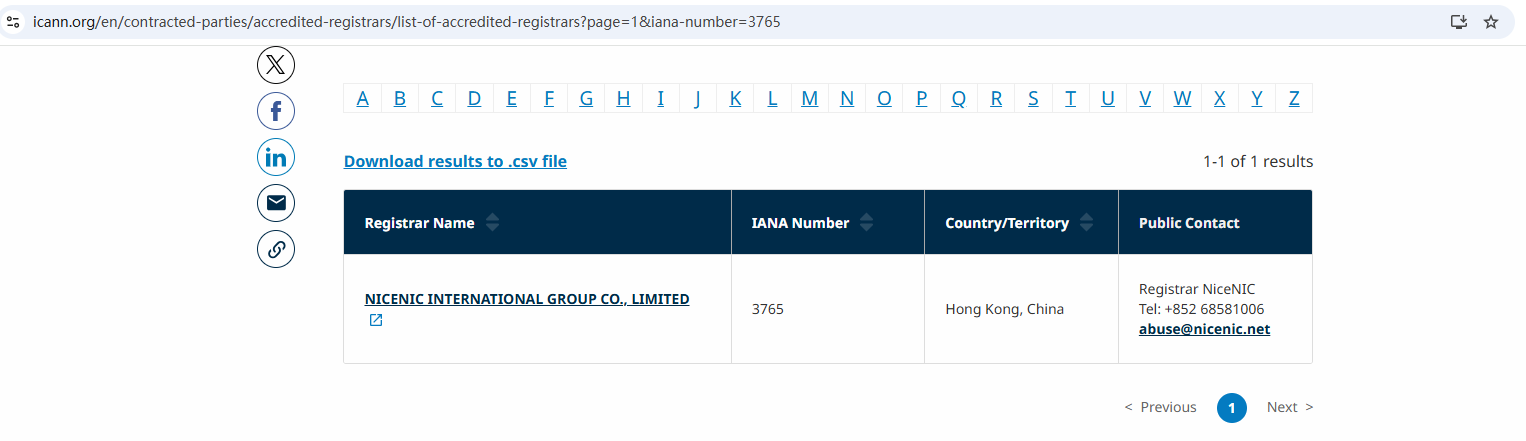
Nicenic stands as that trusted partner for brands, developers, entrepreneurs, and businesses worldwide.
Conclusion: Maximize Your Domain Strategy with URL Forwarding
URL forwarding is a simple but powerful tool for improving user experience, consolidating domain traffic, and optimizing your domain strategy for SEO and marketing. By understanding how to implement it effectively, you can ensure a seamless experience for visitors and leverage your domains to their fullest potential.
Next News: Why Choosing an ICANN-Accredited Registrar Matters








