



Choosing a domain name is one of the first real decisions you make when building a website, launching a brand, or starting an online business.
Before you can use a domain, you need to answer two practical questions:
That is where domain name search becomes useful.A domain search tool helps you check whether a name can be registered now, whether it is already taken, whether it carries premium pricing, and what alternatives may still be open.
In this guide, you will learn:
- how to check if a domain is available
- what different search results mean
- why some domains cannot be registered
- what to do after you find an available domain
- how to register your domain step by step with NiceNIC
1. What Is Domain Name Search
Domain name search is the process of checking whether a domain name is available for registration.
Before you build a website, launch a brand, open an online store, or start a new project, you need to know one thing first:
Can this domain name be registered?
A domain search tool helps you check whether a name is available, already registered, premium priced, reserved, restricted, or available under other extensions.
If you already have a name in mind, you can start by using NiceNIC to Check Domain Availability and register the domain if it is available.
2. How to Check If a Domain Is Available
Checking domain availability is simple, but the result can mean different things depending on the extension and registry rules.
Step 1: Enter your preferred domain name
- yourbrand.com
- yourbrand.net
- yourbrand.ai
If the exact match is unavailable, try searching related versions or different extensions.
Step 2: Review the result carefully
A domain search result may show that the name is:
Step 3: Decide your next move
Once you know the status, you can do one of the following:
- register the available domain immediately
- choose another extension
- adjust the name slightly
- watch the domain if it is currently unavailable
- consider a premium purchase if it fits your budget and brand
3. How Domain Availability Checks Work
When you search for a domain, the system checks registry data behind the scenes.
Each extension, such as .com, .net, .io, .ai, .vip, or many others, is managed by its own registry. That registry maintains the official status of domain names under that extension.
When you search on NiceNIC, the system checks and displays information such as:
- availability
- premium pricing
- registry restrictions
- temporary domain status
- suggested alternatives
This means domain search is not just a simple keyword lookup. It is a live check against real registration data.
4. Why Some Domains Cannot Be Registered
Domain registration usually works on a first-come, first-served basis. If another person or company registered the domain first, you cannot register the same domain unless it becomes available again or the current registrant transfers ownership.
Some domains also have special rules. Certain country-code domains or restricted extensions may require local presence, business information, identity details, or other eligibility conditions.
That is why it is important to check the domain result, price, renewal cost, and registration requirements before placing an order.
5. What to Do After You Find an Available Domain
- First-year registration price
- Renewal price
- Transfer price
- Registration term
- Premium pricing, if applicable
- Registry restrictions
- Required contact information
- Whether WHOIS privacy is supported
- DNS and nameserver management options
6. How to Register a Domain Name Step by Step
Once you find a domain that is available, the registration process is straightforward.
Step 1: Search the domain
Use the NiceNIC domain search tool to check whether your preferred name is available.
Step 2: Select the domain
Step 3: Choose the registration term
Step 4: Review pricing and details
Check the registration price, renewal price, and any other important details before checkout.
Step 5: Complete the registration
Finish the order and complete payment.
Step 6: Manage the domain after registration
After registration, you can move on to the next setup tasks, such as:
- updating nameservers
- setting DNS records
- connecting your website
- setting up business email
- protecting your brand with related domains
7. How to Choose a Strong Domain Name
A strong domain should be easy to remember, easy to spell, and suitable for long-term use.
Before registering, ask yourself:
- Is the name short and clear?
- Is it easy to type?
- Does it match my brand or project?
- Will it still make sense in the future?
- Is the extension suitable for my audience?
- Could it create trademark risk?
- Should I also register related extensions?
For example, many businesses register more than one version of their brand name, such as .com, .net, .org, or a relevant country-code domain. This can help reduce confusion and protect the brand.
8. What Makes NiceNIC Domain Search Useful
NiceNIC provides domain search tools designed to help users move from idea to registration more efficiently.
Key features include:
Bulk domain search
Useful if you want to check multiple names at once.
AI-powered domain suggestions
Helpful when you need more creative, brandable options based on your keywords.
Broad TLD support
You can search across global extensions, including common, new, and niche TLDs.
Premium and Buy Now options
If you want a stronger name that is already priced for direct purchase, you can review those options quickly.
Transparent pricing
Registration, renewal, and transfer pricing visibility helps users make clearer decisions.
Fast search results
Quick results make it easier to compare names and move to registration without delay.
9. Frequently Asked Questions
How do I know if a domain is available?
You can use a domain search tool to check its current registration status. If it is available, you can usually register it immediately.
Why does a domain show as premium?
Premium domains are priced higher because of their perceived value, quality, or keyword strength.
Can I register a domain that is in pending delete?
Usually not at that exact moment. You may need to wait until the domain becomes available again.
Should I register multiple extensions for the same brand?
In many cases, yes. It can help protect your brand and reduce confusion.
What should I do after registering a domain?
After registration, the next steps usually include DNS setup, website connection, and email configuration.
Start Your Domain Search
Domain name search is the first step toward building a real online identity.
Use NiceNIC to Check Domain Availability, compare available extensions, review pricing, and register the right domain for your brand, website, or business.
If you manage many domains, you can also use Bulk Domain Search to check multiple names more efficiently.
NiceNIC helps users do both. With global TLD support, bulk search tools, AI suggestions, premium domain options, and transparent pricing, NiceNIC makes it easier to check domain availability and register the right domain with confidence.
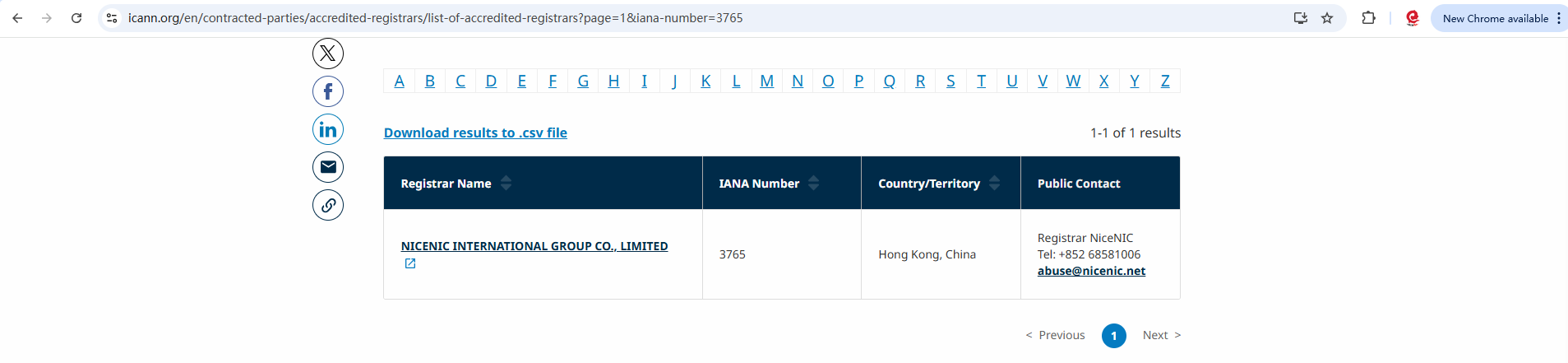
NiceNIC stands as that trusted partner for brands, developers, entrepreneurs, and businesses worldwide, offering the foundation needed to build, grow, and protect a strong digital presence.








